Chatbot Builders Compared: The Best AI Conversational Tools in 2026
Compare the best AI chatbot builders in 2026 for support, sales, and automation, with pricing, features, and buyer-fit guidance.
 Admin
Admin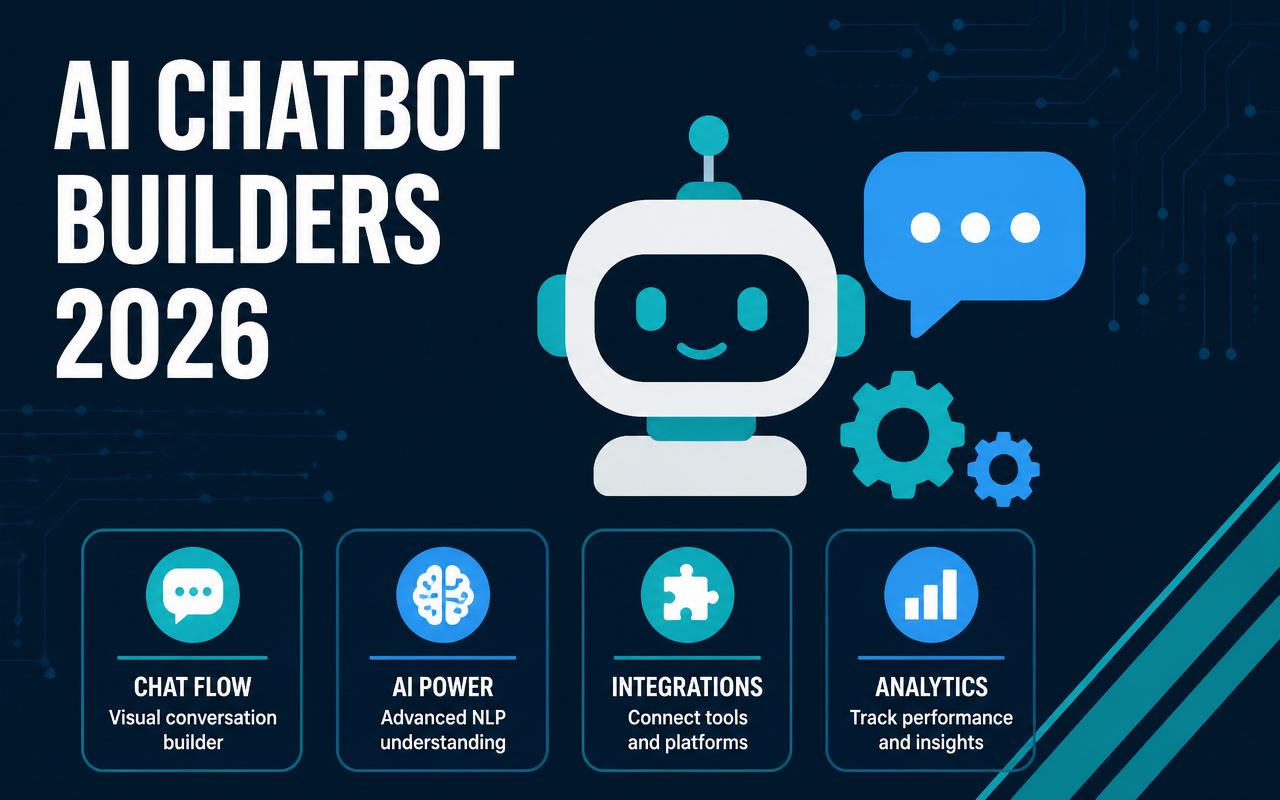
By 2026, the problem is no longer whether a chatbot can answer a FAQ. The real issue is whether your chatbot can resolve a billing question, route a lead to the right owner, update the CRM, and avoid creating more tickets than it saves. For small and mid-market teams, the gap shows up in daily work: support queues fill up after hours, sales reps miss high-intent chats, and ops teams get stuck stitching together separate tools for web chat, SMS, WhatsApp, and help desk automation. The best AI chatbot builders now have to do more than generate replies. They need solid knowledge controls, clean handoffs, and integrations that actually hold up in production.
Why AI chatbot builders matters in 2026
Teams are buying chatbot platforms to reduce repetitive work, not to add another dashboard. The strongest tools now sit closer to operations, support, and revenue workflows than to marketing gimmicks.
- Customers expect fast answers across web chat, email, SMS, and messaging apps, so the builder has to cover more than one channel.
- LLM-powered answers only work when the platform can ground responses in your content, tickets, and CRM data.
- Support leaders want deflection without losing control, which means better permissions, escalation rules, and audit trails.
- Sales teams need chat to qualify, route, and book meetings without forcing reps to babysit every conversation.
- Mid-market buyers increasingly want no-code setup for ops teams, but enterprise-grade governance for admins and security reviewers.
- Many teams now measure success by resolved conversations and booked outcomes, not just chat volume.
The 10-12 AI chatbot builders to watch in 2026
Intercom Fin
Intercom Fin is one of the more mature support-focused AI agents because it is built around resolution, not just conversation. It works best when you already have a structured help center, clear support macros, and a team that cares about deflection quality. Fin can answer from your content, escalate when confidence is low, and hand off cleanly to human agents inside Intercom. The trade-off is that it rewards teams willing to maintain their knowledge base and conversation rules; messy inputs lead to messy outcomes.
- AI answers grounded in help center and support content
- Seamless handoff into Intercom inbox and workflows
- Conversation scoring and control over what the agent can answer
- Useful for support deflection and after-hours coverage
Pricing starts around $29/user/month for Intercom plans, with Fin usage often priced separately; verify current pricing. Best fit: SaaS and service teams that already run support in Intercom and want faster ticket resolution.
Zendesk AI Agents
Zendesk AI Agents fit teams that want automation inside a mature service desk rather than a separate chatbot product. The strength here is operational consistency: tickets, macros, routing, and agent workflows already live in Zendesk, so the AI layer can act on real support processes instead of sitting beside them. It is a practical choice for organizations that care about queue management, customer service SLAs, and reporting continuity. It is less appealing if you want a flexible marketing-led chatbot with heavy front-end customization.
- AI agent responses tied to Zendesk support workflows
- Ticket triage and automated routing
- Native fit for help center-driven self-service
- Reporting that stays inside a service desk environment
Pricing starts around $19/agent/month for Zendesk Suite plans; AI Agent capabilities may vary by plan, so verify current pricing. Best fit: support teams that already use Zendesk and want lower-friction automation.
Drift
Drift remains a strong option for B2B demand teams that want chat to behave like a qualified SDR. Its value is less about open-ended support and more about capturing high-intent visitors, routing them to the right rep, and pushing useful context into sales workflows. For companies with a clear account-based motion, it can shorten response time and improve conversion from inbound traffic. The main limitation is that it is not the best fit for broad customer support automation or complex service workflows.
- Visitor routing and qualification for sales
- Meeting booking and lead capture workflows
- Account-based conversation targeting
- Useful analytics for pipeline-focused teams
Pricing is typically quote-based; contact sales. Best fit: B2B SaaS and services companies with a sales-led inbound motion.
Ada
Ada is built for organizations that need large-scale automation with strong control over policy, multilingual support, and escalation rules. It is commonly used where support volume is high and the cost of inconsistent answers is unacceptable. Ada’s appeal is its ability to orchestrate automated resolutions across multiple systems while keeping rules and guardrails in place for regulated or complex environments. Teams that want a simple plug-and-play chatbot may find it heavier than needed, but operations teams often value the control.
- Automation workflows for support resolution
- Multilingual customer service use cases
- Rule-based guardrails and escalation paths
- Connects to enterprise support and business systems
Pricing is quote-based; contact sales. Best fit: larger support organizations with high ticket volume and governance requirements.
Tidio
Tidio is a practical fit for small teams that need live chat plus AI assistance without a long rollout. It is especially attractive for e-commerce and SMB support teams that want quick setup, visitor messaging, and automation in one package. The platform balances simplicity and usefulness better than many lightweight tools, which is why it shows up often in smaller support stacks. It will not replace enterprise workflow engines, but it can handle the bulk of everyday customer questions if your processes are fairly standard.
- Live chat plus AI chatbot capabilities
- Common e-commerce and support automations
- Easy website deployment
- Useful for lead capture and post-purchase support
Pricing starts around $29/month (verify current pricing). Best fit: small businesses and e-commerce teams that need fast deployment and modest automation.
ManyChat
ManyChat is strongest when customer conversations happen inside social and messaging apps rather than on a website. It is popular with creators, e-commerce brands, and SMB marketers because it can automate Instagram, Facebook Messenger, and SMS flows without requiring a developer for every change. The builder is especially useful for comment-to-DM campaigns, list building, and lightweight sales automation. It is less appropriate for deep support desks, but for audience-driven businesses, it covers a lot of real revenue work.
- Instagram, Facebook Messenger, and SMS automation
- Comment-to-DM and lead capture flows
- Broadcasting and audience segmentation
- No-code builder for marketing and sales journeys
Pricing starts around $15/month (verify current pricing). Best fit: social commerce brands, creators, and lean marketing teams.
Chatfuel
Chatfuel is another messaging-first platform, but it often appeals to teams that want a straightforward way to automate customer conversations on Meta channels and WhatsApp. It is useful for appointment setting, lead qualification, and basic customer service flows where the conversation starts in a messaging app and ends in a handoff or conversion. The main advantage is speed: many teams can launch quickly without engineering support. The limitation is that it is less of a broad service platform than some higher-end competitors.
- WhatsApp, Instagram, and Facebook Messenger automation
- Lead qualification and FAQ handling
- Simple flow builder for nontechnical teams
- Useful handoff paths to humans or CRM tools
Pricing starts around $23.99/month (verify current pricing). Best fit: SMBs and agencies focused on messaging-channel automation.
LivePerson
LivePerson is a heavyweight choice for enterprises that need conversational engagement across messaging, support, and sales with strong governance. It has long been used by large service organizations that care about scale, security, and analytics across multiple channels. The platform makes sense where conversation is a core operating system, not a side feature. It is typically more than a small team needs, but for global contact centers and complex routing environments, it offers depth that lighter tools cannot match.
- Enterprise omnichannel conversational engagement
- Messaging, support, and sales workflows
- Strong analytics and governance features
- Designed for high-volume customer interactions
Pricing is quote-based; contact sales. Best fit: large support organizations and contact centers.
Kore.ai
Kore.ai is built for complex conversational automation where IT, operations, and support all need a say in how the system behaves. It is often selected by enterprises that want to build custom virtual assistants across departments, not just a single customer service bot. That flexibility comes with more implementation effort, but it also opens the door to more advanced use cases such as internal employee support, contact center automation, and multilingual customer interactions. If you need a serious platform with governance and extensibility, it belongs on the shortlist.
- Custom virtual assistants for multiple departments
- Enterprise governance and security controls
- Contact center and employee support use cases
- Broad integration and workflow flexibility
Pricing is quote-based; contact sales. Best fit: enterprise IT and operations teams building multiple assistants across the business.
Landbot
Landbot is one of the better no-code options when the user experience matters as much as the back-end logic. It is particularly good for conversational landing pages, lead qualification, onboarding, and guided forms that feel more like a conversation than a static web widget. Teams often choose it because they can build polished flows without much engineering help. It is a strong middle ground for agencies and SMBs that need flexibility, though it is not the deepest support automation engine on this list.
- No-code conversational flow builder
- Web chat and landing page experiences
- Lead qualification and onboarding workflows
- Easy branching logic for guided interactions
Pricing starts around $36/month (verify current pricing). Best fit: marketers, agencies, and SMBs that want polished conversational web experiences.
Botpress
Botpress is a developer-friendly chatbot builder for teams that want more control over logic, integrations, and model behavior. It tends to appeal to product teams, agencies, and technical operators who need a platform they can extend rather than a fixed workflow packaged for one department. The platform is useful when you care about custom actions, structured conversation logic, and deploying assistants into multiple channels with stronger control over behavior. It usually requires more implementation discipline than simpler tools, but that is also what makes it useful for bespoke deployments.
- Developer-friendly flow and agent design
- Custom actions and API integrations
- Flexible deployment across channels
- Good fit for bespoke assistants and internal tools
Pricing starts around free tiers and paid plans; verify current pricing. Best fit: technical teams, product groups, and agencies building custom assistants.
HubSpot Chatbots
HubSpot Chatbots work best for teams already living inside HubSpot CRM and marketing automation. The key value is not just chat on a website; it is the ability to turn conversations into contacts, deals, tasks, and follow-up sequences without adding another system. For small and mid-market companies, that CRM connection can be more useful than a feature-rich standalone bot. The downside is that it is strongest inside the HubSpot ecosystem, so it is less compelling if your support or sales stack sits elsewhere.
- Native HubSpot CRM and workflow integration
- Lead capture and meeting booking
- Useful for website conversion and routing
- Easy to connect chats to contacts and deals
Pricing starts around included with HubSpot plans; verify current pricing. Best fit: companies already using HubSpot for marketing and sales.
Comparison table
| Tool | Starting price | Best for | Standout feature |
|---|---|---|---|
| Intercom Fin | Starts around $29/user/month (verify current pricing) | SaaS support teams | AI resolutions inside Intercom workflows |
| Zendesk AI Agents | Starts around $19/agent/month (verify current pricing) | Service desks | Native ticket triage and routing |
| Drift | Contact sales | B2B demand generation | Sales qualification and meeting booking |
| Ada | Contact sales | High-volume support | Controlled automated resolution at scale |
| Tidio | Starts around $29/month (verify current pricing) | SMBs and e-commerce | Fast live chat plus AI setup |
| ManyChat | Starts around $15/month (verify current pricing) | Social commerce and creators | Instagram and Messenger automation |
| Landbot | Starts around $36/month (verify current pricing) | Agencies and marketers | Polished no-code conversational flows |
| Botpress | Free tier available; verify current pricing | Technical teams | Customizable assistant logic |
| Kore.ai | Contact sales | Enterprise automation | Multi-department virtual assistants |
| HubSpot Chatbots | Included with HubSpot plans; verify current pricing | HubSpot users | Native CRM and workflow connection |
How to choose the right AI chatbot builders
- Match the tool to the primary job: support deflection, lead qualification, appointment booking, or internal service.
- Check whether your team needs no-code setup or can support a more technical builder with APIs and custom logic.
- Look at channel coverage first: web chat alone is not enough if customers ask for SMS, WhatsApp, or social messaging.
- Review integration depth with your help desk, CRM, calendar, payment, and ticketing systems before you buy.
- Ask how the platform handles knowledge quality, fallback answers, and human handoff when confidence is low.
- For regulated industries, verify security controls, data residency options, SSO, audit logs, and vendor SLAs.
Suggested stack by company size
Small business / low budget
For smaller teams, the priority is getting value quickly without adding a long admin burden. I would favor tools that combine chat, basic automation, and simple integrations over platforms that need a dedicated owner. The best small-business stack is usually one that improves response time immediately and still lets a nontechnical person update flows later.
- Tidio
- ManyChat
- Chatfuel
- Landbot
Mid-market or agency
Mid-market teams and agencies need more flexibility because they often manage multiple segments, brands, or workflows. At this size, the platform has to be easy enough to launch, but robust enough to connect with CRM and support systems. Agencies should also think about templating and reuse, since repeatable implementation work is where margin gets lost.
- Intercom Fin
- Zendesk AI Agents
- Landbot
- Botpress
Enterprise
Enterprise buyers should start with governance, integrations, and rollout discipline. The chatbot builder needs to fit existing service operations, security review, and reporting, not just deliver impressive demo conversations. The best choices usually have strong workflow controls and the ability to support multiple departments or business units without turning into a tangled mess.
- Ada
- Kore.ai
- LivePerson
- Intercom Fin
Trends to watch in AI chatbot builders for 2026
- Agentic ticket triage that resolves routine L1 issues before a human sees the queue.
- More builders are adding grounded response controls so assistants answer from approved sources only.
- Deeper channel orchestration across web chat, SMS, WhatsApp, Instagram, and email in one policy layer.
- Better conversation handoff with context transfer, so customers do not repeat themselves when escalating.
- Increased use of workflow actions like refund checks, order status lookup, and meeting scheduling inside the chat.
- More attention to governance features such as audit logs, role-based permissions, and environment separation for testing and production.
I learned the hard way that the main deployment risk is not the chatbot copy; it is the knowledge base and routing logic behind it. On one implementation, the assistant looked great in testing, but a stale help article and an overly broad confidence threshold caused it to answer policy questions with old information and keep too many edge cases out of the escalation path. We fixed it by narrowing the answer scope, adding a separate review process for high-risk content, and forcing handoff on anything billing-related. The trade-off was fewer automated answers at first, but the quality of the resolved ones improved immediately.
FAQs
What is the best AI chatbot builder for customer support?
For teams already in Intercom or Zendesk, Fin or Zendesk AI Agents are usually the fastest path to useful support automation. For larger, more complex environments, Ada or Kore.ai may be a better fit.
Which chatbot builder is best for small businesses?
Tidio is a strong starting point for small businesses because it combines live chat and AI with relatively low setup friction. ManyChat is also a good choice if most customer conversations happen on social channels.
Do chatbot builders replace live agents?
No. The better platforms reduce repetitive work and route complex issues to humans with context. The goal is faster resolution, not removing human support from the process.
What should I look for beyond AI answers?
Look for knowledge controls, handoff rules, CRM and help desk integrations, audit logs, channel coverage, and reporting that measures resolutions rather than just chat volume.
Is a no-code chatbot builder enough for enterprise use?
Sometimes, but enterprise teams usually need more than no-code. They often require governance, SSO, data controls, testing environments, and custom workflow actions that simpler tools do not handle well.
The right chatbot builder in 2026 is the one that fits your operating model, not the one with the flashiest demo. If your team lives in a help desk, start there. If revenue comes through messaging apps, choose a channel-first tool. If you need custom workflows and multiple departments, pick a platform that can handle governance from day one. Shortlist two or three tools, map one real use case end to end, and test the handoff, reporting, and integration details before you sign a contract. That is where the actual difference shows up.
Pricing sources
All prices cited in this article are taken from each vendor's official pricing page. Vendors update pricing frequently — always confirm the current rate with the source before purchasing.
Related articles
Help Desk Software Showdown 2026: Zendesk vs Freshdesk vs Intercom
Compare Zendesk, Freshdesk, Intercom, and other help desk platforms for 2026 with pricing, fit, and buying criteria.
Admin
Video Conferencing Software Battle 2026: Zoom vs Google Meet vs Microsoft Teams
Compare Zoom, Google Meet, and Teams with Webex, Meet, and other 2026 video conferencing tools for cost, fit, and deployment trade-offs.
Admin
VoIP & Business Phone Systems: Top Picks for Remote Teams in 2026
Compare the best VoIP business phone systems for remote teams in 2026, with pricing, features, and buyer guidance.
Admin