Employee Time Tracking & Payroll Software Compared in 2026
Compare 12 employee time tracking and payroll platforms for 2026, with pricing, fit, and rollout guidance for SMB and mid-market teams.
 Admin
Admin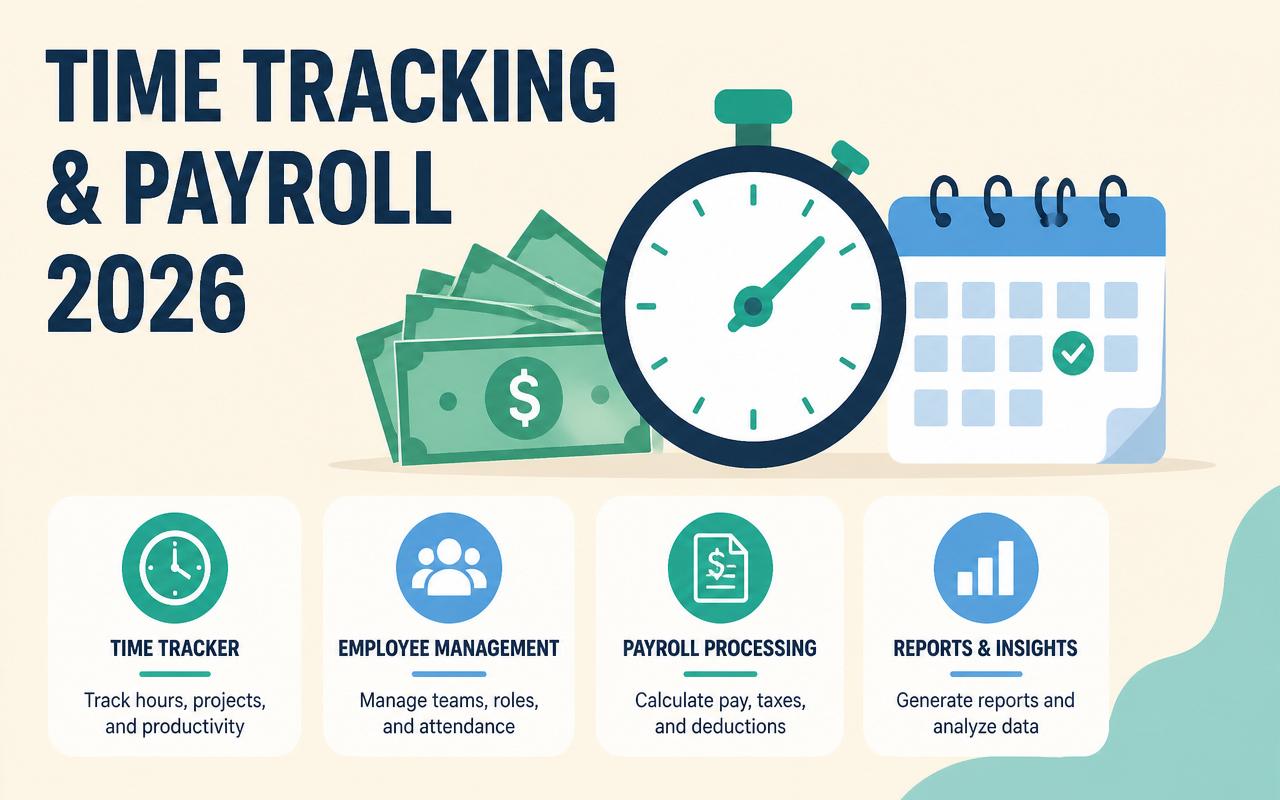
Payroll breaks fast when time data is messy. A few missed punches, one overtime rule configured wrong, or a supervisor approving hours after payroll closes can turn a routine run into corrections, retro pay, and employee complaints. In 2026, the better systems do more than collect clocks and issue checks. They reconcile labor rules, route approvals, push exceptions into payroll, and keep a cleaner record for audits. The real question for operators is not whether software can track time and pay people. It is whether the stack matches the way your locations, shifts, departments, and tax setup actually work without creating more admin than it removes.
Why employee time tracking and payroll matters in 2026
The value is in reducing rework, not just recording hours. Teams want a single source of truth for attendance, labor costs, and gross-to-net payroll results.
- Hourly workforces are still the hardest to administer because schedule changes, breaks, and overtime rules create exceptions every week.
- Remote and multi-site teams need tighter controls on geofencing, device policies, and approval workflows so time data stays trustworthy.
- Managers expect payroll to absorb timecards without export gymnastics, especially when they are running weekly or biweekly cycles.
- Labor compliance is more granular, with state, city, and industry rules that can differ by location and even by job type.
- Operators want labor visibility by department, project, or client so they can see margin before payroll closes.
- Employees now expect self-service access to earned wages, pay stubs, schedules, and time-off balances from the same app.
The 10-12 employee time tracking and payroll to watch in 2026
Gusto
Gusto is a strong fit for small businesses that want payroll, benefits, and time tracking without assembling three separate systems. The product favors clear workflows and less back-office bookkeeping, which matters when the person running payroll is also handling hiring, onboarding, and compliance notices. Its time tools are practical for standard hourly teams and office staff that need simple clock-in, approvals, and payroll handoff rather than a full workforce management suite.
- Time tracking with payroll sync
- Automated tax filing in all 50 states
- Employee self-service for pay and benefits
- Basic hiring and onboarding workflows
Starts around $40/month + $6/person/month for Simple plan payroll with time features priced separately or as part of higher tiers (verify current pricing). Best fit: small businesses that want straightforward payroll with built-in HR basics.
QuickBooks Payroll
QuickBooks Payroll is the natural choice for companies already living in QuickBooks Online, because the accounting-to-payroll handoff is where it saves the most time. If your books, classes, and job costing already sit in Intuit, the appeal is less about flashy workforce features and more about fewer sync issues and cleaner reconciliation. It works well for operators who need payroll accuracy and accounting alignment more than advanced scheduling.
- Direct integration with QuickBooks Online accounting
- Automatic tax calculations and filings
- Same-day or next-day direct deposit options depending on plan
- Time tracking available through QuickBooks Time or integrated time tools
Starts around $50/month + $6/person/month for Core (verify current pricing). Best fit: small businesses that already run accounting in QuickBooks and want payroll to stay inside that ecosystem.
ADP Run
ADP Run is built for small and growing companies that want a vendor with deep payroll experience and a lot of compliance infrastructure behind it. The software tends to appeal to businesses that have outgrown a lightweight platform and now need better controls, broader support, or more complex wage scenarios. It is not the most minimal option, but it is often a safer fit when payroll mistakes are costly and the team needs a known provider with stronger process discipline.
- Payroll processing with tax filing support
- Employee self-service and mobile access
- Add-on time and attendance options
- Compliance tools for multi-state payroll
Contact sales for pricing. Best fit: small to mid-sized companies that want established payroll support and room to scale into more complex operations.
Rippling
Rippling stands out because payroll is only one part of a broader employee system that also includes IT, device management, benefits, and app access. That matters when time tracking has to line up with job changes, permissions, and organizational structure across multiple locations or legal entities. The payroll experience is strongest when the company wants automated employee lifecycle workflows, not just a way to run payroll from timecards.
- Unified employee data across HR, IT, and payroll
- Time tracking with approval workflows
- Multi-state payroll and custom earnings/deductions
- Policy-driven automation for onboarding and changes
Contact sales for pricing. Best fit: growing companies that want payroll tied to the rest of employee operations, especially in distributed teams.
Paychex Flex
Paychex Flex is a practical option for companies that want payroll, HR, and time in one system but expect to lean on support and service more than they would with a self-serve SMB tool. It is often used by businesses with hourly employees, multiple pay groups, and more policy detail than a basic payroll app can comfortably handle. The platform is especially relevant when you need a vendor that can grow into more formal HR needs later.
- Payroll processing with tax compliance support
- Time and attendance add-ons
- HR and employee self-service tools
- Reporting for labor and payroll analysis
Contact sales for pricing. Best fit: SMBs and lower mid-market teams that want a more service-heavy payroll provider with expansion room.
Deel
Deel is the better-known choice for global payroll, contractors, and distributed teams that need to pay people across borders without stitching together local vendors in every country. Its time tracking value shows up when you need hours, approvals, and pay data to feed global employment workflows rather than just domestic hourly payroll. For U.S.-based teams hiring overseas, Deel can simplify the administrative sprawl that normally comes with international labor rules and payments.
- Global contractor and employee payroll
- Time, approvals, and contract workflows
- Cross-border payment support
- Compliance coverage for international hiring
Contact sales for pricing. Best fit: companies with contractors or employees in multiple countries that need payroll and time inside a global employment platform.
OnPay
OnPay is one of the cleanest fits for small businesses that want payroll plus a sensible set of time and HR features without paying for a broader enterprise suite. It is easy to underestimate how valuable that simplicity is when a founder, office manager, or bookkeeper is the one actually running payroll. The product is strongest for straightforward workflows, especially where the main goal is reliability and a short learning curve.
- Full-service payroll with tax filing
- Simple time tracking integrations
- HR tools for onboarding and employee records
- Support for multiple pay rates and deductions
Starts around $40/month + $6/person/month (verify current pricing). Best fit: small businesses that want an approachable payroll platform with enough time tracking support for hourly teams.
Justworks
Justworks combines payroll, benefits, compliance, and HR administration in a way that works well for companies that want fewer vendors and less internal setup. It is especially useful when the team values clean employee experience and wants help with the administrative load around benefits and payroll taxes. The trade-off is that it is less of a tinkerer’s tool and more of a managed operating layer for people operations.
- Payroll and benefits administration
- Time tracking and PTO workflows
- Compliance support and HR guidance
- Employee self-service and mobile access
Starts around $8/user/month for basic platform access plus payroll and benefits components that vary by plan (verify current pricing). Best fit: small to mid-sized teams that want a managed HR/payroll experience with less internal admin.
Toast Payroll
Toast Payroll is built for restaurant operations, which matters because hospitality payroll is its own category of pain. Tip handling, split shifts, hourly churn, and location-level labor controls are all harder than they look in generic systems. Toast works best when payroll needs to stay close to scheduling, POS data, and tipped wage calculations. For multi-unit operators, the value is in fewer reconciliation problems between timekeeping, sales, and payroll.
- Restaurant-oriented payroll workflows
- Integration with Toast POS and labor tools
- Tip management and service charge handling
- Time tracking tied to shifts and locations
Contact sales for pricing. Best fit: restaurants and hospitality groups that need payroll designed around tipped labor and shift-based operations.
Homebase
Homebase is a strong match for hourly teams that need scheduling, time clocks, and payroll in one place without a heavy implementation. It is popular with retailers, cafes, salons, and other local businesses where the manager is also the dispatcher, approver, and payroll runner. The software is especially practical when you care about shift changes, break compliance, and mobile notifications more than deep HR administration.
- Employee scheduling and shift swaps
- Time clock with break and overtime tracking
- Team messaging and manager alerts
- Payroll add-on for hourly staff
Starts around $20/location/month for basic plans, with payroll priced separately or as an add-on depending on plan (verify current pricing). Best fit: small hourly businesses that want scheduling and time tracking tied closely to payroll.
When I Work
When I Work focuses on scheduling and time tracking first, which makes it useful for companies that already have payroll elsewhere or want a best-of-breed workforce app feeding payroll. It is a solid fit when managers need fast shift publishing, employee availability, and clock-in controls without full HR complexity. For teams with fluctuating schedules, the scheduling workflow can matter more than payroll polish because it reduces timecard errors before they hit the payroll queue.
- Employee scheduling and shift management
- Time clocks with mobile check-in
- Availability and swap requests
- Payroll integrations
Starts around $2.50/user/month (verify current pricing). Best fit: hourly teams that need scheduling and time tracking tightly managed, with payroll handled in another system.
Clockify
Clockify is a time tracking-first tool that becomes useful for payroll when the business needs accurate hour capture by project, client, or department before sending totals to a payroll system. It is not trying to be a full payroll suite, and that is the point. Agencies, consultancies, and project-driven teams often care more about labor allocation and billable hours than native payroll filing, so Clockify can sit upstream of payroll cleanly.
- Manual and timer-based time tracking
- Projects, tasks, and billable hour reporting
- Team attendance and approvals
- Integrations with payroll and accounting tools
Starts around $3.99/user/month (verify current pricing). Best fit: service businesses that need dependable time capture for payroll allocation and client billing.
Comparison table
| Tool | Starting price | Best for | Standout feature |
|---|---|---|---|
| Gusto | Starts around $40/month + $6/person/month (verify current pricing) | Small businesses | Payroll with benefits and basic time tracking in one flow |
| QuickBooks Payroll | Starts around $50/month + $6/person/month (verify current pricing) | QuickBooks users | Accounting-native payroll sync |
| ADP Run | Contact sales | Growing SMBs | Established payroll compliance and support |
| Rippling | Contact sales | Distributed teams | Unified HR, IT, and payroll automation |
| Paychex Flex | Contact sales | SMBs with more service needs | Service-heavy payroll and HR stack |
| Deel | Contact sales | Global teams | International contractor and employee payroll |
| OnPay | Starts around $40/month + $6/person/month (verify current pricing) | Small businesses | Simple payroll with approachable setup |
| Justworks | Starts around $8/user/month plus plan components (verify current pricing) | Teams wanting managed HR | Combined payroll, benefits, and compliance |
| Toast Payroll | Contact sales | Restaurants | Tip and shift handling tied to hospitality workflows |
| Homebase | Starts around $20/location/month (verify current pricing) | Hourly local businesses | Scheduling plus time clock and payroll add-on |
| When I Work | Starts around $2.50/user/month (verify current pricing) | Shift-based teams | Scheduling-first time tracking |
| Clockify | Starts around $3.99/user/month (verify current pricing) | Agencies and project teams | Project-based time capture |
How to choose the right employee time tracking and payroll
- Match the system to your pay complexity: salaried plus hourly, tipped labor, multiple pay rates, union rules, or contractor payments all change the decision.
- Check whether time data flows into payroll automatically or requires manual exports, because every extra touchpoint creates risk.
- Look at your location footprint. Multi-state, multi-city, and multi-entity payroll often eliminates lightweight tools fast.
- Review scheduling, PTO, and approval workflows together. Separate tools can work, but only if the handoff is truly clean.
- Confirm integrations with accounting, POS, ERP, benefits, and identity tools so employee records do not drift across systems.
- Ask about support response times and payroll correction processes. If something breaks on payroll day, chat availability alone is not enough.
- Consider where employee data is stored and which compliance standards matter for your industry, especially if you operate across borders.
Suggested stack by company size
Small business / low budget
- Gusto
- OnPay
- QuickBooks Payroll
- Homebase
Mid-market or agency
- Rippling
- Paychex Flex
- When I Work
- Clockify
Enterprise
- ADP Run
- Rippling
- Deel
- Toast Payroll
Trends to watch in employee time tracking and payroll for 2026
- More payroll systems are using exception-based review, where managers only see punches that violate rules instead of scanning every timecard.
- Labor analytics is moving closer to payroll close, so operators can compare scheduled hours, worked hours, and gross pay before checks go out.
- Geofence and device-policy controls are getting stricter, especially for mobile time clocks and distributed hourly teams.
- Global payroll platforms are expanding contractor-to-employee workflows so companies can change worker status without rebuilding records from scratch.
- Employee self-service is shifting from static paystub access to faster changes for tax forms, PTO, banking, and shift availability.
- Integrations are becoming more event-driven, which reduces lag between scheduling, time capture, payroll approval, and accounting posting.
I learned the hard way that the software is rarely the first problem; the setup is. On one rollout, the time clock was configured correctly, but the approval workflow let supervisors edit punches after payroll export, which made the first two runs look fine until retro adjustments piled up. The bigger mistake was assuming every manager understood unpaid meal breaks the same way. Once we locked editing windows, standardized break rules, and wrote a simple exception checklist for approvers, payroll stopped drifting. The trade-off was less flexibility for managers, but the payoff was cleaner payroll and fewer employee disputes.
FAQs
What is the difference between time tracking software and payroll software?
Time tracking records hours, breaks, and attendance. Payroll calculates wages, taxes, deductions, and payments. Some platforms do both, but many businesses still pair a time tool with a payroll engine.
Do I need both scheduling and time tracking?
If you run hourly shifts, usually yes. Scheduling reduces missed coverage and timecard surprises, while time tracking records what actually happened. The combination helps payroll stay accurate.
Which software is best for restaurants with tipped employees?
Toast Payroll is usually the most relevant option because it is built around hospitality workflows, tipped labor, and shift-based operations.
What should I look for if I have employees in multiple states?
Look for multi-state tax filing, location-based labor rules, and support for different pay schedules or entities. Rippling, ADP Run, Gusto, and Paychex Flex are common starting points to evaluate.
Can I use a project time tracker for payroll?
Yes, if the software exports clean hours and your payroll system can ingest them reliably. Clockify is a good example for project-heavy teams that still need payroll downstream.
If you are choosing from scratch, start with your most expensive failure mode. For a restaurant, that is usually tip and break handling. For a multi-state services firm, it is compliance and entity complexity. For a five-person office, it is making payroll simple enough that someone can run it correctly every cycle. Shortlist two platforms, map one real pay period from clock-in to paycheck, and compare the number of manual steps, exception edits, and approval delays. That exercise usually reveals the best fit faster than any feature checklist. If you are still undecided, run a live demo with last month’s hours and see which system needs the fewest fixes before payroll closes.
Pricing sources
All prices cited in this article are taken from each vendor's official pricing page. Vendors update pricing frequently — always confirm the current rate with the source before purchasing.
Related articles
Remote Hiring & Applicant Tracking Systems (ATS) for 2026
Remote hiring ATS guide for 2026: compare top tools, pricing, use cases, and selection criteria for distributed recruiting teams.
Admin
Best HR Management Software for U.S. Companies in 2026
Compare the best HR management software for U.S. companies in 2026, with pricing, use cases, features, and buying guidance.
Admin