Inventory Management Software for Small Retailers in 2026
Practical 2026 guide to inventory management software for small retailers, with tool comparisons, selection criteria, and stack recommendations.
 Admin
Admin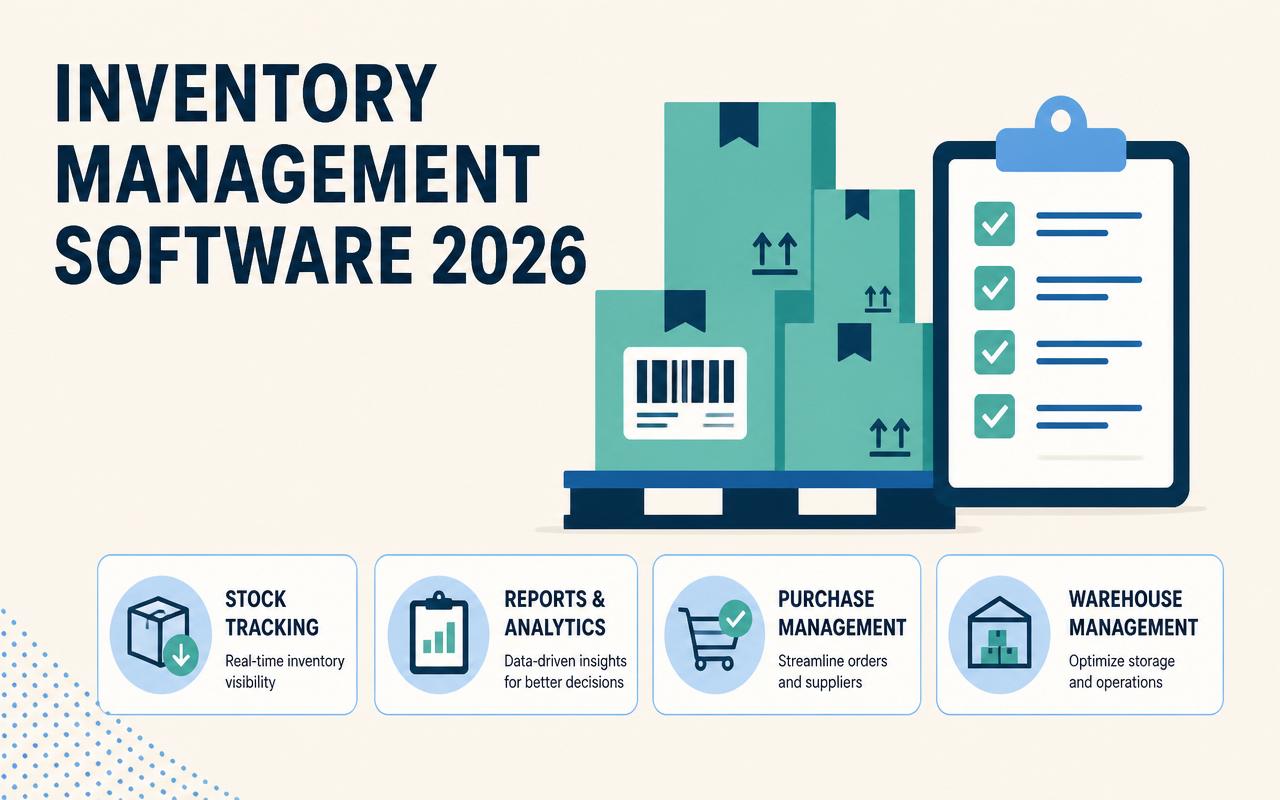
Small retailers do not usually lose money because they lack data. They lose it because stock data is late, split across channels, or entered differently by store, POS, and accounting staff. A boutique can sell the last size in-store while Shopify still shows it available online. A hardware shop can reorder fast movers but miss slow-moving dead stock that ties up cash. In 2026, the difference between a clean inventory process and a messy one is not just convenience; it affects margin, staffing, and whether you can trust your reorder points. The right software should reduce manual count work, keep channels aligned, and make exceptions easy to catch before they become customer problems.
Why inventory management software for small retailers matters in 2026
Small retailers need tighter control because customer expectations, supplier lead times, and channel complexity all moved faster than most spreadsheets did.
- Retailers are selling through more channels at once, which makes manual stock updates too slow to prevent oversells.
- Shrink, returns, and transfer mistakes are easier to miss when inventory lives in separate systems.
- Reorder decisions now depend on better forecasting, not just simple min/max thresholds.
- Cash is more expensive, so overbuying slow movers hurts more than it did a few years ago.
- Small teams need systems that save labor on counts, receiving, and reconciliation instead of adding admin work.
- POS, ecommerce, shipping, and accounting integrations matter more because operators want one source of truth.
The 10-12 inventory management software for small retailers to watch in 2026
Zoho Inventory
Zoho Inventory fits retailers that want a full ordering and stock workflow without jumping immediately into an enterprise suite. It works well for teams that need purchase orders, item bundling, and order tracking tied together, especially if they already use other Zoho apps. The interface is practical rather than flashy, but the trade-off is solid control over day-to-day stock movement. For small retailers that import products, manage bundles, or sell through a few channels, it can cover a lot before you outgrow it.
- Purchase orders and sales orders in one system
- Multi-channel order management
- Barcode scanning and item bundles
- Integration with accounting and ecommerce tools
Starts around $29/month (verify current pricing). Best for small retailers that need affordable order-to-stock control across a few channels.
Cin7
Cin7 is a strong fit when retail inventory is no longer just retail inventory. It handles product complexity, channel syncing, and wholesale or distribution-style workflows better than lightweight tools. Many small retailers adopt it when they start mixing direct-to-consumer sales with B2B orders, kitting, or multiple warehouses. The key advantage is breadth: it can become the operational hub instead of just a stock ledger. That breadth also means it needs more setup discipline than simpler tools.
- Multi-location and multi-channel inventory
- B2B and wholesale order workflows
- Built-in purchasing and production support
- Native integrations with ecommerce and accounting systems
Contact sales for pricing. Best for retailers that need stronger operational depth and expect to grow into more complex fulfillment.
Fishbowl
Fishbowl has long been a practical choice for operators who want deeper control over warehouse-style inventory without moving to a heavy ERP. For small retailers with a back room, service parts, or light assembly, it helps bridge the gap between basic POS stock tracking and more serious operations. Its strength is discipline: receiving, bins, orders, and replenishment can be handled with more rigor than many retail-first tools. The downside is that it can feel more warehouse-centric than boutique-centric.
- Advanced inventory and warehouse management
- Barcode scanning support
- Purchasing and work order tools
- QuickBooks integration
Contact sales for pricing. Best for small retailers that also operate a warehouse, parts room, or light assembly process.
Katana
Katana is worth watching for retailers that sell products they assemble, customize, or kit before shipment. It is less about shelf counting and more about making sure materials, components, and finished goods stay aligned. Retailers with private-label products, made-to-order bundles, or simple production steps often like the way Katana shows available-to-promise stock. It is not the first pick for a pure storefront with no manufacturing layer, but for hybrid retail makers, it fills an important gap.
- Live inventory visibility across raw materials and finished goods
- Kitting and light manufacturing workflows
- Purchase and production planning
- Integrations with ecommerce, accounting, and shipping tools
Starts around $179/month (verify current pricing). Best for retailers that make, kit, or customize products before sale.
Ordoro
Ordoro is useful when shipping and inventory are tightly connected. Retailers that process a lot of ecommerce orders, dropship items, or vendor-fulfilled orders benefit from its routing logic and label workflow. It helps small teams avoid bouncing between a shipping app and a separate stock system. Where it shines is operational cleanup: one screen for orders, stock, and fulfillment decisions. It is especially sensible for merchants who have outgrown a basic shipping app but do not need a full ERP.
- Shipping and inventory workflows in one place
- Dropshipping and supplier routing
- Bundle and kitting support
- Order and label management
Starts around $59/month (verify current pricing). Best for ecommerce-heavy retailers that need inventory and shipping tied together.
Sortly
Sortly is one of the easiest systems for teams that want visual inventory tracking without a long implementation. It works best when the goal is fast organization rather than complex purchasing logic. Retailers use it for back room stock, fixtures, supplies, and lower-complexity item tracking, especially when staff members are not inventory specialists. The visual asset approach is helpful for teams that think in photos and locations instead of SKU-heavy worksheets. It is simple, but that simplicity can be exactly the point.
- Photo-based item tracking
- Custom fields and QR/barcode scanning
- Low-stock alerts
- Mobile-first inventory capture
Starts around $29/month (verify current pricing). Best for small retailers that want fast, visual stock control with minimal setup.
inFlow
inFlow sits in a useful middle ground for small retailers that want more structure than a spreadsheet but less complexity than a full operations suite. It handles purchasing, stock counts, and order management in a straightforward way that makes it approachable for small teams. Retailers with a modest SKU count, one or two locations, and a need for barcode workflows often find it practical. It is especially appealing when the owner wants better visibility but does not want to hire someone to administer the system full time.
- Barcode scanning and stock counts
- Purchase orders and sales orders
- Multi-location inventory tracking
- Reporting on stock, orders, and fulfillment
Starts around $89/month (verify current pricing). Best for small retailers that need a structured, easy-to-run inventory system.
QuickBooks Commerce
QuickBooks Commerce is a familiar name for retailers that already live in the QuickBooks ecosystem, though availability and package details should be checked carefully before planning a rollout. The main appeal has always been the accounting adjacency: tying stock, sales, and financial records together reduces duplicate entry. For small retailers, that matters when ownership wants fewer system hops and cleaner month-end close. If your current accounting process is already in QuickBooks, this category may reduce friction, but verify the latest product status and fit before committing.
- Inventory and order management tied to accounting workflows
- Multi-channel selling support
- Purchase order and sales tracking
- Useful for teams already standardized on QuickBooks
Contact sales for pricing. Best for QuickBooks-centric retailers that want inventory and accounting closer together.
Shopify POS + Inventory
Shopify POS plus its inventory tools are a strong option for retailers whose online store is already their operating center. The system works best when ecommerce, in-store checkout, and stock visibility need to stay aligned with minimal friction. Many small retailers choose it because the setup path is familiar, the online catalog is native, and staff training is manageable. It is not the deepest inventory planner on the list, but for Shopify-first businesses, the operational simplicity can beat heavier software that requires constant reconciliation.
- Unified ecommerce and POS inventory
- Location-based stock tracking
- Variant and product catalog management
- Native Shopify ecosystem integrations
POS plans vary by Shopify package; verify current pricing. Best for Shopify-first retailers that want one system for online and in-store stock.
Lightspeed Retail
Lightspeed Retail is built for operators who need stronger retail controls than basic POS software usually provides. It is especially relevant for specialty retail categories like apparel, sporting goods, bike shops, and other businesses that rely on variants, vendor purchasing, and multiple locations. The system gives retailers better visibility into sales, transfers, and replenishment decisions without forcing them into an ERP. It tends to be a good fit when the retailer wants both operational control and a polished frontline checkout experience.
- Retail POS with inventory management
- Vendor ordering and stock transfers
- Variants, matrix items, and customer profiles
- Reporting for sales and stock performance
Starts around $89/month (verify current pricing). Best for specialty retailers that need robust POS plus inventory discipline.
Square for Retail
Square for Retail is a practical entry point for smaller stores that need inventory built into a checkout system they can actually staff and maintain. It is easy to deploy, which matters when the owner or manager is also handling buying, staffing, and customer service. The strongest case for Square is speed: you can get live item tracking, vendor management, and basic replenishment processes running without a long software project. For many small retailers, that ease is more valuable than advanced planning depth.
- Built-in retail POS and inventory
- Vendor and purchase order support
- Barcode scanning and item variants
- Works well for small stores with limited admin time
Starts around $89/month (verify current pricing). Best for small retailers that want a simple POS-led inventory setup.
Vend by Lightspeed
Vend by Lightspeed remains relevant for retailers that want cloud POS with inventory capabilities and a relatively approachable retail workflow. It is often considered by operators who want stable store operations, multi-location visibility, and a system that staff can learn quickly. The value is in the retail-specific routines: sales, stock movement, and product management are designed to stay close to the register. For stores that do not need deep manufacturing or wholesale logic, it can still be a straightforward option to evaluate.
- Cloud POS with inventory tracking
- Multi-store stock visibility
- Product and supplier management
- Retail reporting and POS workflows
Contact sales for pricing. Best for retailers that want cloud POS with solid retail inventory basics.
Comparison table
| Tool | Starting price | Best for | Standout feature |
|---|---|---|---|
| Zoho Inventory | Starts around $29/month (verify current pricing) | Small retailers with a few channels | Affordable order-to-stock workflow |
| Cin7 | Contact sales | Retailers growing into complex operations | Breadth across retail, wholesale, and fulfillment |
| Fishbowl | Contact sales | Warehouse-style retail operations | Deeper inventory and warehouse controls |
| Katana | Starts around $179/month (verify current pricing) | Retailers that make or kit products | Raw materials to finished goods visibility |
| Ordoro | Starts around $59/month (verify current pricing) | Ecommerce-heavy retailers | Inventory plus shipping in one flow |
| Sortly | Starts around $29/month (verify current pricing) | Small teams needing simple tracking | Photo-based item organization |
| inFlow | Starts around $89/month (verify current pricing) | Small retailers wanting structured control | Easy barcode and stock count workflows |
| Shopify POS + Inventory | Verify current pricing | Shopify-first retailers | Native online and in-store sync |
| Lightspeed Retail | Starts around $89/month (verify current pricing) | Specialty retail stores | Retail-focused purchasing and transfers |
| Square for Retail | Starts around $89/month (verify current pricing) | Small stores needing simple setup | Fast POS-led inventory management |
| Vend by Lightspeed | Contact sales | Cloud POS retailers | Multi-store retail workflow |
How to choose the right inventory management software for small retailers
- Match the system to your real operating model: single store, multi-location, ecommerce-first, wholesale, or hybrid retail.
- Check whether the software handles variants, bundles, kits, and transfers the way your products actually move.
- Look at integration quality with your POS, ecommerce platform, accounting software, shipping tools, and barcode hardware.
- Estimate implementation effort, not just subscription cost; data cleanup and staff training are usually the expensive parts.
- Confirm support channels, response times, and whether you get help during business hours that match your store schedule.
- If you handle personal customer data, check vendor security controls, data export options, and any data residency requirements.
- Plan for growth: it is cheaper to pick a system that can absorb another location than to migrate six months later.
Suggested stack by company size
Small business / low budget
If you have one store, a short SKU list, and a small team, keep the stack simple. The main goal is accurate stock counts and a checkout flow staff can learn quickly. Do not overbuy functionality you will not use; that usually turns into shelfware and bad data.
- Square for Retail
- Sortly
- Zoho Inventory
- Shopify POS + Inventory
Mid-market or agency
Once you have multiple locations, more staff handoffs, or ecommerce plus wholesale, you need more control over purchasing and fulfillment. The better stack is one that reduces reconciliation work and gives managers enough visibility to act before stockouts or overstocks spread.
- Cin7
- Lightspeed Retail
- inFlow
- Ordoro
Enterprise
Larger retail groups usually need inventory depth, role controls, and workflows that can support complex purchasing or hybrid fulfillment. At this level, the software has to fit the process, not the other way around, and implementation discipline matters as much as feature lists.
- Cin7
- Fishbowl
- Katana
- Vend by Lightspeed
Trends to watch in inventory management software for small retailers for 2026
- Exception-based replenishment that flags only unusual demand shifts instead of making managers review every SKU.
- Automatic bundle and kit availability calculations that reserve component stock before orders are oversold.
- Better native support for omnichannel returns so returned items route back to sellable, damaged, or quarantine statuses correctly.
- More accurate purchase-order suggestions that factor in supplier lead times, promo calendars, and location-level velocity.
- Stronger mobile barcode flows for receiving and cycle counts, especially for teams that do not sit at a desktop all day.
- Cleaner API and webhook tooling so small retailers can connect POS, ecommerce, shipping, and accounting without custom middleware.
The first inventory rollout I helped clean up had a simple failure: the owner imported products before standardizing SKUs, so the same item existed in three formats across POS, ecommerce, and accounting. Every report looked believable and still needed manual correction. We fixed it by freezing new item creation, mapping vendors and variants first, then loading a test batch into a sandbox and forcing one person to own master data. The trade-off was a slower launch, but it saved months of reconciliation pain later. If you are implementing a new system, spend the first hour deciding who can create items and how names, barcodes, and locations will be formatted.
FAQs
What is the best inventory management software for a small retailer in 2026?
There is no single best choice. Square for Retail and Shopify POS are strong for simple setups, Zoho Inventory works well for budget-conscious teams, and Cin7 fits stores that are growing into more complex operations.
Can inventory software replace my POS system?
Sometimes, but usually not. Most retailers use a POS with inventory features or connect a dedicated inventory platform to the POS and accounting system.
Do I need barcode scanning for a small retail store?
Yes, if you want fewer receiving errors and faster cycle counts. Even small teams benefit from barcode scanning once SKU volume starts climbing.
Which software is best for Shopify sellers with a physical store?
Shopify POS + Inventory is the first place to look because the online and in-store catalog are native to the same ecosystem. Cin7 is worth evaluating if you need more advanced stock workflows.
What should I prioritize first: price or features?
Prioritize fit. A low-cost tool that cannot handle variants, transfers, or your ecommerce setup becomes expensive fast because staff end up fixing data by hand.
The safest way to choose inventory software is to start with your messiest process, not your easiest one. If receiving is slow, multi-location transfers are inconsistent, or Shopify and the POS disagree on counts, build your shortlist around the tool that handles that specific problem well. Then test the software with real items, real counts, and a real vendor order before you sign. Ask for a demo using your product structure, not a canned script. If you can get through receiving, a cycle count, and a transfer without a spreadsheet rescue, you are probably close to the right fit. Start with a two-week pilot and use your most error-prone SKU group as the test case.
Pricing sources
All prices cited in this article are taken from each vendor's official pricing page. Vendors update pricing frequently — always confirm the current rate with the source before purchasing.
Related articles
Top ERP Systems for Mid-Sized Businesses in 2026: A Practical Comparison
Compare 12 ERP systems for mid-sized businesses in 2026, with pricing, best-fit use cases, and a practical buying framework.
Admin
Best POS Systems for Restaurants and Retail Stores in 2026
Compare the best POS systems for restaurants and retail in 2026, with pricing, features, buyer fit, and practical selection guidance.
Admin
Digital Signage Software for Retail and Hospitality in 2026
Compare 2026 digital signage software for retail and hospitality, with pricing, features, use cases, and a practical buying framework.
Admin