Low-Code Development Platforms: Speeding Up App Delivery in 2026
Compare 2026 low-code platforms by fit, pricing, and deployment tradeoffs so teams can ship internal and customer apps faster.
 Admin
Admin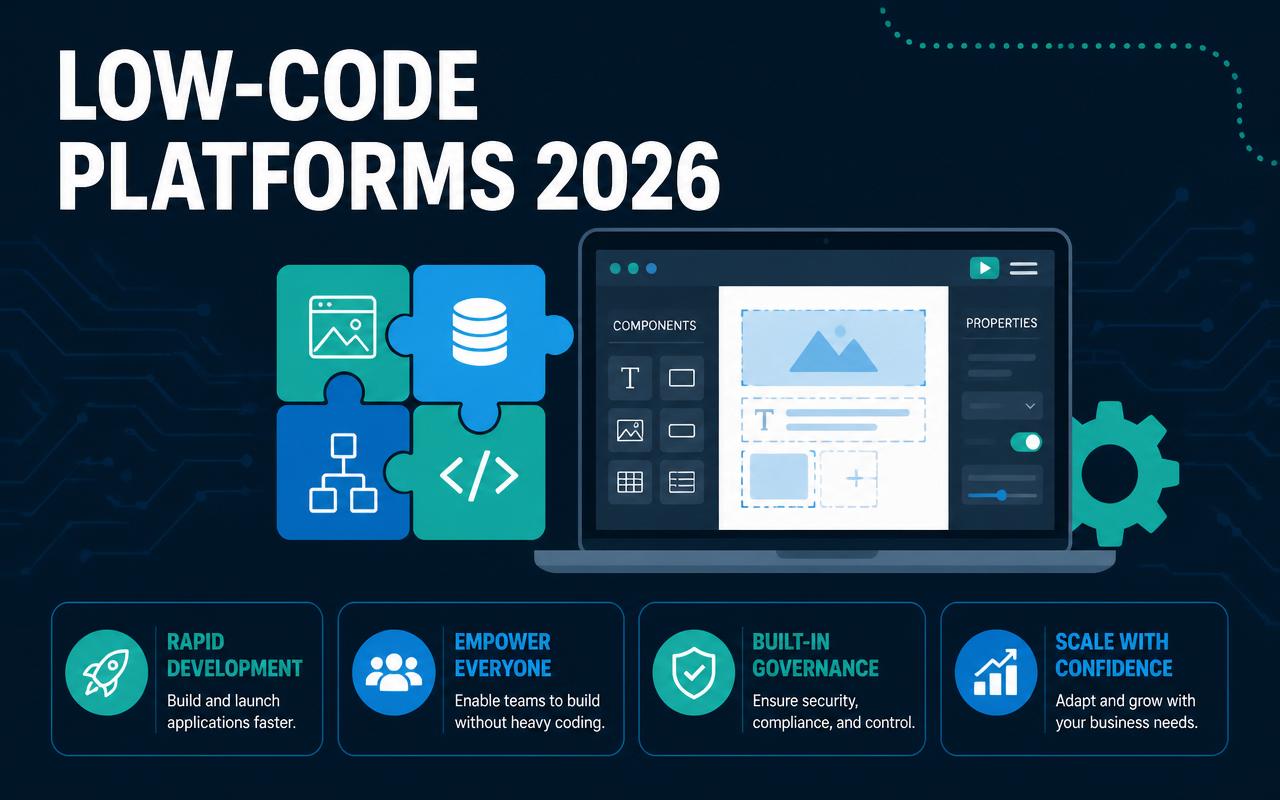
When a finance team is stuck waiting six weeks for a simple approvals app, or operations keeps stitching together forms, spreadsheets, and email threads just to process work, the problem is rarely talent. It is delivery capacity. In 2026, low-code development platforms are being used to move routine app work out of the queue and into production without forcing every request through a full engineering roadmap. That matters for teams that need to ship internal tools, customer portals, workflow apps, and lightweight automation while keeping controls around identity, auditability, and data access. The right platform can turn a backlog into a repeatable delivery system instead of a pile of one-off requests.
Why low-code development platforms matters in 2026
Low-code is no longer just a shortcut for departmental apps. It is becoming the practical layer where business logic, workflow, and simple user interfaces come together without months of custom code.
- Teams need faster turnaround on internal tools because business users now expect software changes in days, not quarters.
- IT groups are being asked to do more with the same staff, so reusable components and visual workflow builders reduce strain on engineering.
- Security and governance matter more than speed alone, which pushes buyers toward platforms with role controls, audit logs, and environment separation.
- Integration work is now the main project cost in many app builds, so native connectors and API support matter as much as page builders.
- Many companies are replacing spreadsheet-driven processes with governed apps that still allow approvals, alerts, and exception handling.
- AI features are shifting from simple form generation to copilots that can draft workflows, summarize records, and help nontechnical staff maintain apps.
The 10-12 low-code development platforms to watch in 2026
OutSystems
OutSystems is a strong fit when you need more than a simple app builder but less than a full custom development program. It is often chosen for customer-facing apps, internal portals, and process-heavy applications that still need enterprise-grade lifecycle control. The platform leans into governed development, reusable components, and deployment discipline, which helps when multiple teams are building into the same architecture. Buyers usually look at it when speed matters, but they cannot afford a tool that becomes a shadow IT island after launch.
- Visual application and workflow design
- Reusable UI components and logic
- DevOps-oriented deployment and lifecycle tooling
- Integration options for APIs and enterprise systems
Pricing starts around $4,000/month (verify current pricing); best fit for mid-market and enterprise teams building governed apps.
Mendix
Mendix is often selected by organizations that want a structured way to let business and IT collaborate without losing engineering standards. It supports a range of use cases from operational apps to more complex front ends that depend on enterprise systems. The platform is particularly useful when a team wants model-driven development with enough flexibility to extend into code where needed. It works well for organizations that care about maintainability over one-off speed hacks.
- Model-driven app development
- Collaboration between business users and developers
- Deployment to cloud or private environments
- Reusable modules and integrations
Pricing is quote-based; contact sales for pricing. Best fit for enterprises and regulated teams that want controlled app delivery.
Microsoft Power Apps
Power Apps is the default low-code answer for many Microsoft-centric shops because it fits naturally into Microsoft 365, Teams, SharePoint, and Dataverse. That makes it attractive for departments that need quick apps for requests, approvals, or field updates without introducing another identity system or admin model. The tradeoff is that it can feel easy at the start and messy later if governance, environment strategy, and data modeling are ignored. For organizations already paying for Microsoft licenses, it is often the shortest path from process pain to a usable app.
- Canvas and model-driven app options
- Deep integration with Microsoft 365 and Dataverse
- Connector library for SaaS and on-prem systems
- Role-based access and environment controls
Pricing starts around $20/user/month (verify current pricing); best fit for Microsoft-first SMBs and mid-market teams.
Appian
Appian is usually brought in when the problem is not just building an app, but orchestrating work across people, systems, and rules. It is well suited to case management, compliance-heavy workflows, and back-office processes that need visibility from intake through resolution. Buyers tend to pick Appian when they want a platform that can handle process design, automation, and data management in one place. It is less about flashy screens and more about disciplined operations that stay traceable.
- Process automation and case management
- Low-code app creation with rules and data layers
- Audit-friendly workflow visibility
- Integrations for enterprise systems and RPA
Pricing is quote-based; contact sales for pricing. Best fit for enterprise operations, compliance, and process orchestration.
Retool
Retool is the tool many teams choose when the real need is fast internal software, not a customer-facing product. It is especially strong for admin panels, support dashboards, ops tooling, and database-driven applications where engineers want to move quickly without hand-coding every form and table. Retool also tends to win when teams already have APIs and databases in place and just need a practical front end plus workflow logic. The main value is speed with enough flexibility to avoid brittle one-off scripts.
- Prebuilt UI components for internal apps
- Direct connections to databases and APIs
- Workflow automation and event-driven actions
- Rapid building for operations and support teams
Pricing starts around $10/user/month (verify current pricing); best fit for engineering-led teams building internal tools.
Zoho Creator
Zoho Creator works well for businesses that want approachable app building without buying an enterprise program they do not need. It is often used for forms, approvals, light operations apps, and field workflows where the team wants clear pricing and a familiar admin experience. The platform is especially appealing if the business already uses other Zoho products, because the workflow and data connections can stay in the same ecosystem. It is a practical option for teams that value simplicity over broad platform depth.
- Drag-and-drop app builder
- Workflow automation and approvals
- Integration with Zoho apps and external services
- Mobile-ready applications and forms
Pricing starts around $8/user/month (verify current pricing); best fit for SMBs and teams already using Zoho.
Salesforce Lightning Platform
Salesforce Lightning Platform makes sense when your customer data, sales process, or service workflow already lives in Salesforce. It helps teams extend CRM into custom apps, guided experiences, and internal workflows without building a separate application stack from scratch. The key advantage is tight alignment with Salesforce objects, permissions, and automation. The downside is that it works best when you stay close to the Salesforce data model, so buyers should be clear about whether they are extending CRM or building something more independent.
- App development on Salesforce data
- Process automation and declarative logic
- Security and permissions inherited from Salesforce
- Integration with CRM, service, and analytics tools
Pricing is quote-based; contact sales for pricing. Best fit for Salesforce customers extending CRM and service workflows.
Quickbase
Quickbase is a strong choice for teams that need configurable business applications without bringing in a large engineering org. It is commonly used for operations tracking, project management, inventory-adjacent workflows, and request handling where business users can help define the process. The platform appeals to operations leaders because it combines database structure, forms, and workflow in a way that is easier to manage than spreadsheets. It is best when you want departmental ownership with enough oversight to avoid chaos.
- Relational app building and structured data
- Workflow automation and approvals
- Role-based access and reporting
- Templates for operational use cases
Pricing starts around $35/user/month (verify current pricing); best fit for operations teams and nontechnical builders.
Kissflow
Kissflow is aimed at business process owners who need to digitize recurring work without turning every request into a software project. It is often used for employee requests, purchase approvals, onboarding, and simple case management. The strength of Kissflow is its emphasis on process automation and clear ownership rather than elaborate application design. That makes it useful for teams that want fast rollout, straightforward administration, and a clean way to replace email-based workflows.
- Workflow and case automation
- No-code app and form creation
- Basic reporting and process visibility
- Approvals and task routing
Pricing is quote-based; contact sales for pricing. Best fit for business process teams and SMB operations leaders.
Betty Blocks
Betty Blocks is designed for organizations that want to build apps visually while keeping enough structure to support long-lived use cases. It is often considered by teams that care about governance and citizen development but still need a platform that can be managed centrally. That balance matters when business units want autonomy, yet IT must retain oversight over data, security, and deployment. It is a useful option for organizations trying to expand app delivery without fragmenting standards.
- Visual application modeling
- Governance-friendly citizen development
- Data and workflow tooling
- Deployment support for business apps
Pricing is quote-based; contact sales for pricing. Best fit for mid-market and enterprise teams balancing autonomy and control.
Nintex
Nintex is usually evaluated when workflow automation, document handling, and process management are the center of the use case. It has a long history in business process automation, and that still shows up in its fit for approvals, forms, routing, and document-centric operations. Teams often pick Nintex when they need to standardize repeatable business processes without building a large custom app from scratch. It is less about broad app design and more about making operational work consistent.
- Workflow automation and forms
- Document generation and routing
- Process mapping and visibility
- Integrations with common business systems
Pricing is quote-based; contact sales for pricing. Best fit for operations, HR, and document-heavy process teams.
Pega
Pega is built for high-complexity cases where decisions, service, and workflow need to stay synchronized. It is often used in customer service, financial services, insurance, and large-scale case management environments. The platform stands out when business rules are numerous and the process path changes based on customer data, policy rules, or service context. For buyers with serious orchestration needs, Pega can replace a stack of manual escalation logic and custom workflow code.
- Case management and decisioning
- Workflow orchestration across channels
- Rules-driven automation
- Enterprise-grade governance and integration
Pricing is quote-based; contact sales for pricing. Best fit for enterprise teams running complex service and decision workflows.
Comparison table
| Tool | Starting price | Best for | Standout feature |
|---|---|---|---|
| OutSystems | starts around $4,000/month (verify current pricing) | Governed enterprise and mid-market apps | Enterprise lifecycle and reusable components |
| Mendix | contact sales | Regulated enterprise app delivery | Model-driven development with flexible extension |
| Microsoft Power Apps | starts around $20/user/month (verify current pricing) | Microsoft-centric SMB and mid-market teams | Deep fit with Microsoft 365 and Dataverse |
| Appian | contact sales | Case management and process orchestration | Workflow plus rules plus data in one platform |
| Retool | starts around $10/user/month (verify current pricing) | Internal tools for engineering-led teams | Fast database and API-driven app building |
| Zoho Creator | starts around $8/user/month (verify current pricing) | SMBs and Zoho users | Approachable forms and workflow apps |
| Quickbase | starts around $35/user/month (verify current pricing) | Operations teams and nontechnical builders | Structured business apps with reporting |
| Pega | contact sales | Complex enterprise service and decisioning | Rules-driven case handling and automation |
How to choose the right low-code development platforms
- Start with the app type. Internal tools, customer portals, workflow apps, and case management needs do not require the same platform depth.
- Match the platform to your data model. If the app depends on existing ERP, CRM, or warehouse data, connector quality matters more than surface-level UI speed.
- Check governance controls early. Look for environment separation, role-based access, versioning, and approval paths before you let business teams build.
- Estimate total cost, not just licensing. Include implementation, connectors, support tier, and any premium runtime or usage charges.
- Consider who will maintain the app after launch. A platform that business users can edit may still need IT oversight to avoid broken logic and inconsistent data.
- Review data residency and compliance requirements. Regulated teams should confirm region options, audit logging, and vendor security posture before committing.
Suggested stack by company size
Small business / low budget
Small teams usually get the best return from platforms that are easy to learn, quick to configure, and not overloaded with enterprise governance they will never use. The goal is to replace spreadsheets and shared inboxes without creating a new admin burden.
- Zoho Creator
- Microsoft Power Apps
- Quickbase
Mid-market or agency
Mid-market teams and agencies tend to need a mix of speed, client-specific customization, and enough governance to prevent delivery sprawl. They also need tools that can handle multiple projects or business units without forcing every request into custom engineering.
- Retool
- OutSystems
- Kissflow
- Betty Blocks
Enterprise
Enterprises usually need security, auditability, environment management, and strong integration with systems that already run the business. Low-code only works here if the platform can support scale without breaking process discipline.
- Mendix
- Appian
- Salesforce Lightning Platform
- Pega
Trends to watch in low-code development platforms for 2026
- Agent-assisted workflow drafting that turns a plain-language process description into a working approval flow with human review before publish.
- Role-aware app generation where the first version changes based on whether the builder is from finance, HR, operations, or IT.
- Tighter governance around citizen development, including build quotas, approval gates, and automated checks for risky connector use.
- More platforms exposing event-driven automation for supply chain, support, and finance processes instead of just form-and-button apps.
- Growing demand for hybrid delivery where business users assemble the front end but developers own the data layer, integration layer, and release process.
- Expanded support for private cloud, regional hosting, and compliance controls as buyers try to keep sensitive workflows inside defined data boundaries.
One implementation mistake I have seen repeatedly is letting departments build directly in production because the first app is “just a pilot.” That almost always becomes a maintenance problem. The smarter move is to set up at least three environments, define who can publish, and decide which connectors are allowed before the first form goes live. The other common misconfig is underestimating data cleanup; low-code will happily expose messy source data faster than custom development will, which means broken dropdowns, duplicate records, and bad approvals show up immediately. The tradeoff is real: more governance slows the first launch, but it saves you from rebuilding the platform six months later.
FAQs
What is a low-code development platform used for?
It is used to build apps, workflows, dashboards, and internal tools with less hand-coded development. Most teams use it to replace spreadsheets, email approvals, and slow custom requests.
Are low-code platforms only for nontechnical users?
No. The strongest deployments usually mix business users and developers. Business teams shape process and screens, while IT handles integrations, security, and release control.
Which low-code platform is best for internal tools?
Retool is often a strong choice for internal tools, especially when the app depends on databases and APIs. Microsoft Power Apps is also common in Microsoft-heavy environments.
Which platform is best for enterprise workflow automation?
Appian and Pega are common picks for complex workflow, case management, and rules-driven operations. Mendix and OutSystems also fit enterprise app delivery when governance matters.
How do I avoid low-code sprawl?
Set a platform standard, define approved connectors, assign ownership, and require environment separation. You should also review apps on a schedule so abandoned or duplicated tools do not pile up.
Low-code works best when it is treated as a delivery system, not a shortcut around software discipline. The teams that get real value are the ones that pick one platform for a defined class of problems, document who owns the app after launch, and keep a clear boundary between quick departmental builds and enterprise-grade systems. If you are evaluating tools for 2026, shortlist two or three platforms based on the app type you need most, then run a real pilot with your data, identity, and approval process in place. That will tell you more than any demo ever will.
Pricing sources
All prices cited in this article are taken from each vendor's official pricing page. Vendors update pricing frequently — always confirm the current rate with the source before purchasing.
Related articles
No-Code App Builders: The Best Platforms for Non-Developers in 2026
Compare the best no-code app builders for 2026 by use case, pricing, and real operational trade-offs for non-developers.
Admin
DevOps Toolchains in 2026: Building a CI/CD Stack That Scales
Build a scalable CI/CD toolchain in 2026 with practical guidance on GitHub Actions, GitLab, Argo CD, Terraform, Kubernetes, and more.
Admin
Cloud Storage & File-Sharing Platforms Compared: Which One Fits Your Team in 2026?
Compare 12 cloud storage and file-sharing platforms for 2026, with pricing, use cases, selection criteria, and stack recommendations.
Admin