No-Code App Builders: The Best Platforms for Non-Developers in 2026
Compare the best no-code app builders for 2026 by use case, pricing, and real operational trade-offs for non-developers.
 Admin
Admin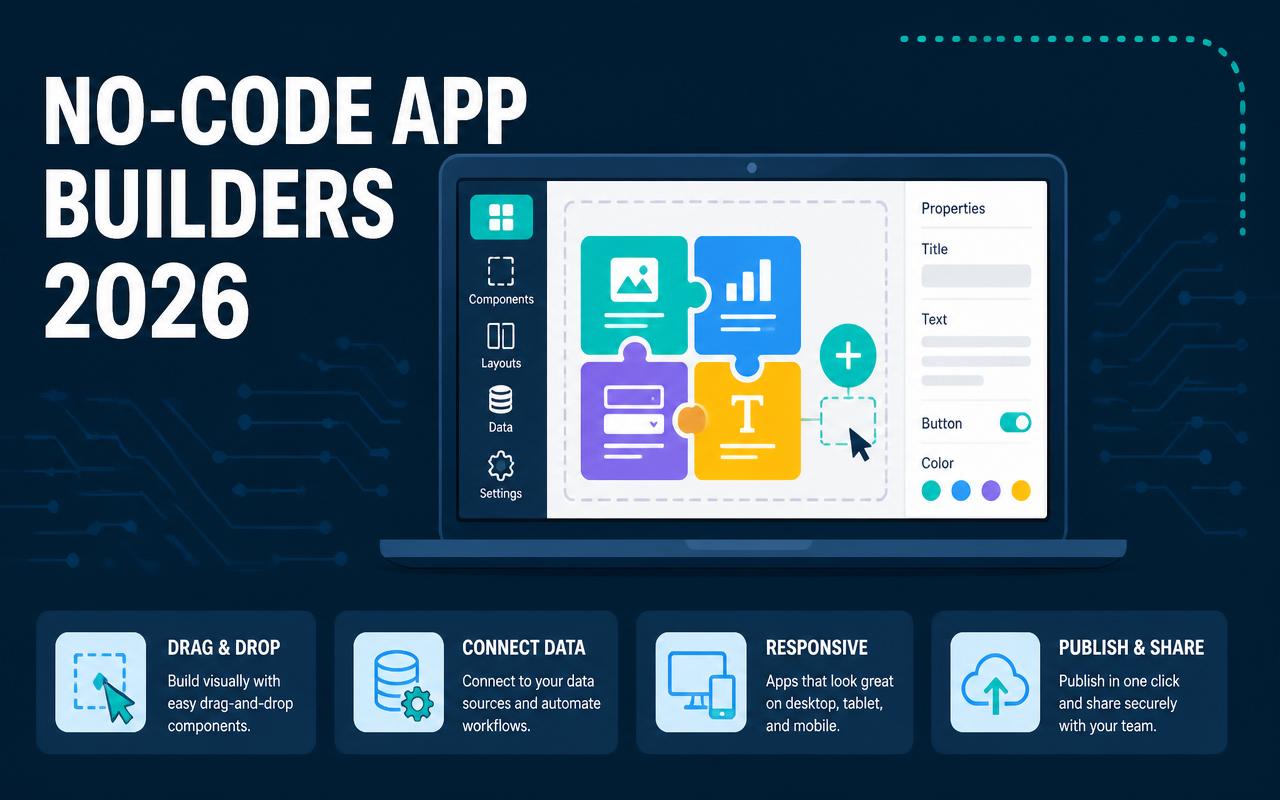
Teams that need to ship apps in 2026 are usually not trying to build the next consumer startup. They need intake forms that route correctly, client portals that do not break when a spreadsheet changes, internal dashboards that managers will actually use, and mobile workflows that field staff can open without training. Hiring developers for every request is slow and expensive, but choosing the wrong no-code platform can be just as costly if the app later cannot handle permissions, automation, or reporting. The practical question is not whether no-code works. It is which builder can support the work you need now without trapping you in a tool that only solves the first version.
Why no-code app builders matters in 2026
No-code platforms are no longer just for prototypes. They are being used for revenue ops, service delivery, operations, and customer-facing portals where speed matters, but reliability still has to hold up.
- Business users now expect apps to connect to existing systems like Airtable, Google Workspace, HubSpot, and Slack without custom middleware for every workflow.
- Internal tools are easier to justify when a department can launch in days instead of waiting on a quarterly engineering queue.
- More teams need role-based access, approvals, and audit trails, which pushes buyers toward platforms that handle business logic instead of simple page builders.
- Field and frontline teams need mobile-friendly interfaces that work on phones with weak attention spans and inconsistent connectivity.
- AI features are becoming useful when they are tied to a real workflow, such as ticket routing, data extraction, or form summarization, rather than generic chat overlays.
- Mid-market buyers are thinking harder about governance: data ownership, workspace permissions, app sprawl, and whether the platform can survive beyond one enthusiastic admin.
The 10-12 no-code app builders to watch in 2026
Bubble
Bubble is still one of the strongest choices when you need a web app with real product logic, not just a form layered over a database. It gives non-developers enough control to build marketplaces, customer portals, booking systems, and SaaS-style applications without immediately outgrowing the platform. The learning curve is real, especially for teams used to spreadsheet tools, but the payoff is flexibility. Bubble is best when app behavior matters more than visual simplicity and when you need a single place to manage UI, database, and workflows.
- Visual editor for responsive web apps
- Built-in database and workflow automation
- API connectors and plugin ecosystem
- User authentication, roles, and privacy rules
Pricing starts around $32/user/month (verify current pricing). Best fit: founders, product teams, and agencies building custom web apps with complex workflows.
Adalo
Adalo is a straightforward choice for mobile-first apps when the team cares more about getting a working iOS/Android experience out the door than designing every edge case. It is useful for simple consumer apps, internal mobile tools, and client-facing directories where speed matters. The platform is easier to learn than heavier builders, but that simplicity comes with trade-offs in advanced logic and scale. If the use case is clear and the app does not need deep customization, Adalo can save weeks of development time.
- Native mobile app publishing
- Drag-and-drop screen builder
- Database collections and relationships
- Integrations through actions and external APIs
Pricing starts around $45/month (verify current pricing). Best fit: small teams building mobile apps, field tools, or lightweight customer experiences.
Glide
Glide is strong when the source of truth already lives in tables and the app is mostly about presenting that data cleanly to specific users. Operations teams use it for portals, directories, onboarding workflows, inventory views, and lightweight CRM-style apps. Its biggest advantage is speed: a spreadsheet or Airtable base can become a usable app quickly. Glide is less about complex custom logic and more about giving non-technical teams a polished front end on top of structured data.
- Spreadsheet and table-based data models
- Role-based access and visibility rules
- Reusable components for fast app assembly
- Works well for portals, dashboards, and internal tools
Pricing starts around $49/month (verify current pricing). Best fit: operations teams and small businesses that need a clean app on top of structured data.
Softr
Softr is a practical option for companies that want to turn Airtable or another database into a client portal, directory, or internal tool without designing everything from scratch. It is especially appealing to agencies and service businesses because it balances speed with enough control over permissions, page structure, and branding. Softr is not trying to be the deepest application platform. It is aimed at teams that want to launch useful web apps quickly and keep the maintenance burden low.
- Fast portal and membership site creation
- Database-driven pages and list views
- Permissions and gated content
- Prebuilt blocks for common business use cases
Pricing starts around $49/month (verify current pricing). Best fit: agencies, service businesses, and ops teams building portals and directories.
Airtable Interfaces
Airtable Interfaces works well when the data already lives in Airtable and the goal is to help people act on that data, not re-platform it. It is useful for operational dashboards, simple approval flows, and team views that should sit close to the underlying records. The value is in keeping the database and the interface together, which reduces handoff friction. It is not the right choice for highly customized customer apps, but for internal workflows it can remove a lot of unnecessary complexity.
- Interface layer tied directly to Airtable bases
- Views for dashboards, forms, and record management
- Permissions aligned with Airtable workspaces
- Useful for lightweight internal operations apps
Pricing starts around $20/user/month for Airtable plans that include Interfaces (verify current pricing). Best fit: teams already standardized on Airtable for operations and reporting.
Webflow
Webflow is not a classic app builder, but many teams use it as the front end for content-heavy applications, gated portals, onboarding experiences, and marketing sites that need structure without code. It shines when design precision matters and when the app has a strong content or publishing component. On its own, it is not a full workflow engine, so it often pairs with memberships, forms, databases, or automation tools. For teams that need presentation quality and CMS control, Webflow stays relevant.
- Visual design control with responsive layouts
- CMS for structured content
- Hosting and publishing in one platform
- Integrates with third-party tools for workflows and auth
Pricing starts around $18/month (verify current pricing). Best fit: marketing teams, agencies, and businesses building content-led portals or customer experiences.
Zapier Interfaces
Zapier Interfaces is useful when the real challenge is not building a full application but exposing a simple front end for a workflow already handled by automation. It fits intake forms, request dashboards, status pages, and lightweight internal tools that need to trigger actions across many systems. Because it sits next to Zapier’s automation layer, it can be a fast path for ops teams that already rely on Zaps. It is less suitable for complex app logic, but it is efficient for workflow-first use cases.
- Simple interface builder tied to automations
- Works with existing Zapier workflows
- Forms, pages, and lightweight dashboards
- Connects across many SaaS tools without custom code
Pricing starts around $0 on limited plans; paid plans vary, verify current pricing. Best fit: operations teams that already use Zapier and need a simple app layer.
Notion
Notion is not a full app builder in the traditional sense, but it is often used that way for knowledge bases, team hubs, lightweight client portals, and simple workflow tracking. The reason is adoption: people already know how to edit pages, databases, and views. It works best when the app is really a structured workspace rather than a transactional system. If your users need forms, permissions, and process control, Notion can be the starting point, but it usually needs another layer as complexity grows.
- Databases, templates, and linked views
- Shared workspaces for teams and clients
- Fast setup for internal knowledge and process hubs
- Flexible enough for lightweight portal-style use cases
Pricing starts around $10/user/month (verify current pricing). Best fit: small teams that need a shared workspace or simple internal hub.
AppSheet
AppSheet is one of the strongest options for organizations that live in Google Workspace or need mobile apps tied to spreadsheets and databases. It handles field service, inspections, approvals, inventory, and operational checklists well because it is built around structured data and business rules. The platform is especially useful for teams that want governance and enterprise controls without hiring a software team. It is not always the most visually polished choice, but it is dependable for business process apps.
- Mobile and browser apps from structured data
- Automation for approvals and reminders
- Integrates well with Google Workspace and Microsoft 365 data sources
- Good fit for inspections, checklists, and workflow apps
Pricing starts around $5/user/month for starter plans; higher tiers vary, verify current pricing. Best fit: operations-heavy businesses and teams already using spreadsheet-driven processes.
Thunkable
Thunkable is aimed at teams that want to build real mobile apps without getting into native code. It is useful for simple consumer apps, internal field apps, and training or survey experiences that need phone-native behavior. The drag-and-drop model makes it approachable, but the team still needs to think carefully about data structure and app flow. Thunkable is a better fit for focused mobile products than broad business systems, especially when the app must work across both iOS and Android.
- Cross-platform mobile app creation
- Visual logic and component-based UI
- Device feature access such as camera and location
- API integrations and external data connections
Pricing starts around $15/month (verify current pricing). Best fit: non-developers building straightforward mobile apps and prototypes.
Bravo Studio
Bravo Studio appeals to teams that already design in Figma and want to turn those mockups into mobile apps without rebuilding the UI from scratch. It is a good fit for design-led products, branded client apps, and prototypes that need to stay close to the original design intent. The platform works best when the interface is already planned and the challenge is connecting it to real data and workflows. It is not the broadest no-code system, but it can be efficient for teams with strong design discipline.
- Figma-to-app workflow
- Mobile app publishing
- API-driven data connections
- Design fidelity for branded experiences
Pricing starts around $19/month (verify current pricing). Best fit: design teams and agencies creating branded mobile apps from Figma files.
FlutterFlow
FlutterFlow sits closer to low-code than pure no-code, but it remains a serious option for teams that want more control than a simple drag-and-drop app builder can offer. It is especially valuable when the app may need to scale into something more custom later, since it can bridge from visual development to Flutter-based output. Teams use it for mobile and web apps, internal tools, and customer-facing products where flexibility matters. The trade-off is complexity: it rewards disciplined planning and a builder who is willing to learn app architecture.
- Visual builder for Flutter apps
- Web and mobile output
- API integrations and custom functions
- Useful for more advanced app logic and scalable builds
Pricing starts around $30/month (verify current pricing). Best fit: startups, agencies, and technical operators who want more headroom than simple no-code tools provide.
Comparison table
| Tool | Starting price | Best for | Standout feature |
|---|---|---|---|
| Bubble | Starts around $32/user/month (verify current pricing) | Custom web apps with complex workflows | Deep visual logic and built-in database |
| Glide | Starts around $49/month (verify current pricing) | Internal tools and portals on structured data | Fast app creation from tables |
| Softr | Starts around $49/month (verify current pricing) | Client portals and directories | Permissioned portal blocks |
| AppSheet | Starts around $5/user/month (verify current pricing) | Operations and field workflows | Business-rule-driven mobile apps |
| Webflow | Starts around $18/month (verify current pricing) | Design-heavy sites and portals | Pixel-level visual control |
| FlutterFlow | Starts around $30/month (verify current pricing) | Scaled mobile and web apps | Visual builder with Flutter output |
How to choose the right no-code app builders
- Start with the workflow, not the interface. If the app needs approvals, permissions, or branching logic, favor tools with stronger automation and data handling.
- Match the platform to the source of truth. Airtable, Google Sheets, Notion, and SQL-backed systems each favor different builders.
- Check user roles and privacy rules early. Many app projects fail when every user sees the same records or when row-level access is hard to enforce.
- Look at integration depth, not logo count. Native connectors, webhooks, and API support matter more than a crowded marketplace.
- Estimate maintenance time, not just build time. Some tools are fast to launch but expensive to keep clean once non-technical users start editing the app.
- Confirm export and lock-in risk. If the app grows, you may need a platform that can hand off to a developer or support a future migration.
- Treat support and uptime as procurement issues. For customer-facing or revenue-facing apps, verify support response times and any SLA language before committing.
Suggested stack by company size
Small business / low budget
Small teams usually need one app that solves one painful process, not a broad platform strategy. The best stack keeps setup simple and avoids unnecessary tooling. Pair a lightweight database or workspace with a builder that can expose data cleanly and automate handoffs. That keeps cost down and reduces the chance that one person becomes the only admin who understands how the thing works.
- Glide
- Softr
- AppSheet
- Notion
Mid-market or agency
Mid-market teams and agencies usually need repeatable delivery, more permissions, and better client separation. The stack should support branded portals, internal tools, and workflow automation without forcing every project into a custom build. This is where platform flexibility and integration depth matter most, because the app often has to live alongside CRM, ticketing, billing, and reporting systems.
- Bubble
- Softr
- Airtable Interfaces
- Zapier Interfaces
- Webflow
Enterprise
Enterprise buyers care less about novelty and more about governance, repeatability, and handoff. They need tools that fit existing identity management, data policies, and audit requirements. A good enterprise stack usually combines a stronger app builder with a controlled data layer and a way to standardize intake, approvals, and reporting across departments.
- AppSheet
- FlutterFlow
- Bubble
- Airtable Interfaces
Trends to watch in no-code app builders for 2026
- Agentic workflow execution that can route a request, check business rules, and close low-risk tickets without human handoff.
- Tighter integration with data warehouses and operational databases so app builders can sit on top of governed data instead of duplicate spreadsheets.
- More granular permissions, especially row-level visibility and conditional form access for client portals and internal tools.
- Governance features that track app owners, connected accounts, workflow dependencies, and unused automations across a workspace.
- Native mobile features such as offline capture, camera upload, barcode scanning, and geolocation for field workflows.
- Better handoff paths to codebases or developer-owned extensions when an app outgrows the no-code layer.
I learned the hard way that a no-code app can look finished long before it is operationally safe. In one rollout, we built a fast internal portal on top of a clean database, but we underestimated how many people would edit the source records directly. The result was broken filters, duplicate statuses, and a permissions mess that took longer to unwind than the original build. The fix was not a new tool; it was stricter data ownership, locked fields, and a rule that only one workflow could update the core record. No-code rewards discipline more than enthusiasm.
FAQs
What is the best no-code app builder for a beginner in 2026?
Glide and Softr are usually the easiest starting points for non-developers because they move quickly and work well with structured data. If the project is a mobile app, Adalo is often easier to grasp than heavier tools.
Which no-code app builder is best for complex web apps?
Bubble is still one of the strongest choices for complex web apps because it combines UI, workflows, database logic, and integrations in one place. FlutterFlow is also worth considering if you want more technical headroom.
Can I build a customer portal with no-code tools?
Yes. Softr, Bubble, Webflow with supporting tools, and Glide are common choices for portals. The right pick depends on whether the portal is content-heavy, workflow-heavy, or data-heavy.
Are no-code app builders secure enough for business use?
They can be, but security depends on configuration as much as platform choice. Pay close attention to permissions, data access, connected accounts, and whether the vendor offers the controls your team needs.
What should I avoid when choosing a no-code platform?
Avoid picking based only on templates or speed to first demo. Check how the platform handles permissions, integrations, data ownership, and whether it can still support the app after the first version ships.
The best no-code app builder is the one that matches your workflow, your data, and the people who will maintain it after launch. For a content portal, a mobile checklist app, and a complex SaaS product, the right answer will be different. That is why the practical next step is to map one real workflow from end to end, identify the source of truth, and test two or three platforms against that exact use case before you commit. If you do that first, the right tool becomes obvious much sooner, and the build will be easier to support once other teams start depending on it.
Pricing sources
All prices cited in this article are taken from each vendor's official pricing page. Vendors update pricing frequently — always confirm the current rate with the source before purchasing.
Related articles
DevOps Toolchains in 2026: Building a CI/CD Stack That Scales
Build a scalable CI/CD toolchain in 2026 with practical guidance on GitHub Actions, GitLab, Argo CD, Terraform, Kubernetes, and more.
Admin
Cloud Storage & File-Sharing Platforms Compared: Which One Fits Your Team in 2026?
Compare 12 cloud storage and file-sharing platforms for 2026, with pricing, use cases, selection criteria, and stack recommendations.
Admin
Website Uptime & Monitoring Tools Every Online Business Needs in 2026
Compare 2026 uptime and website monitoring tools, pricing, features, and best-fit use cases for SMBs, agencies, and enterprises.
Admin