Social Media Management Platforms: A 2026 Buyer's Guide
Compare 12 social media management platforms for 2026, with pricing, best-fit use cases, and a practical buyer framework.
 Admin
Admin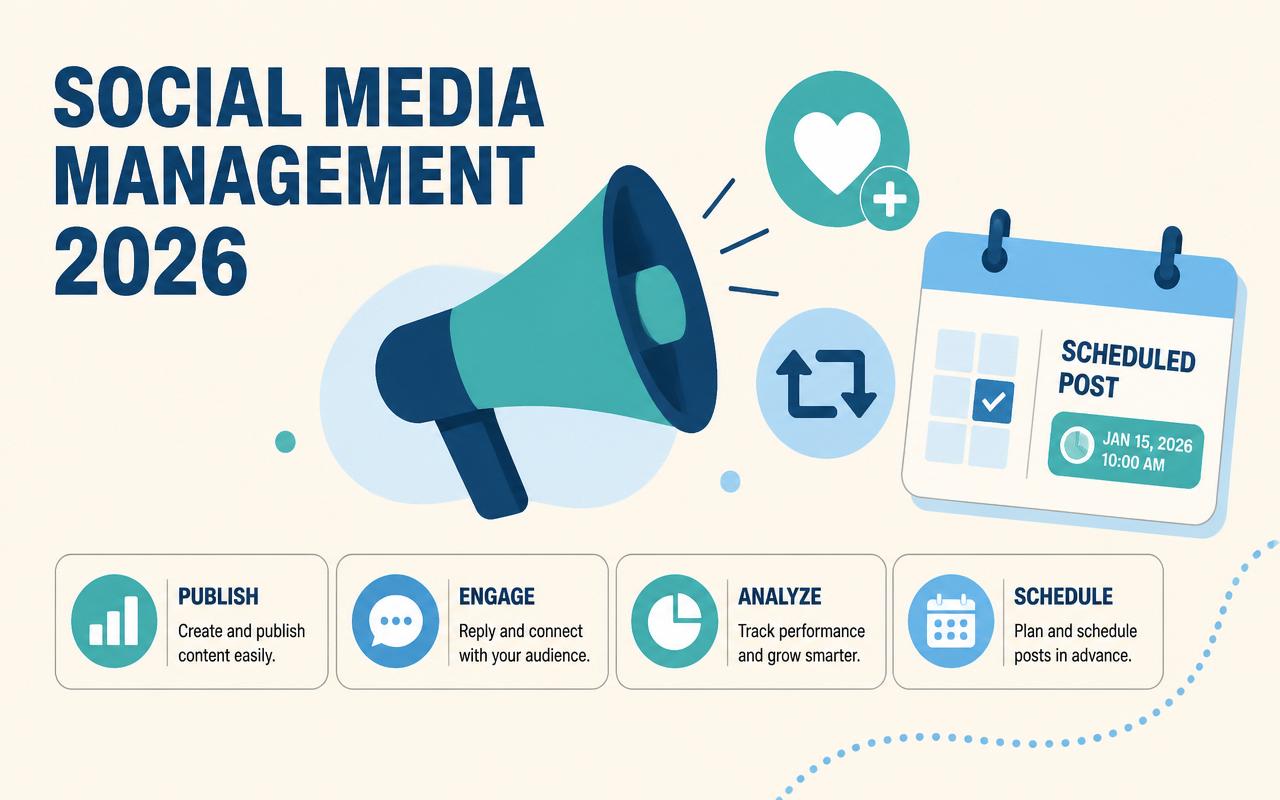
A social media team in 2026 is usually juggling more than post scheduling. One person is drafting content for five channels, another is handling approvals, a manager is watching response-time targets, and leadership wants proof that all of it connects to pipeline or customer retention. The wrong platform turns that workflow into a chain of exports, screenshots, and Slack messages. The right one gives you a clean approval path, reliable publishing, reporting you can trust, and enough guardrails that a small team can operate like a larger one. This guide focuses on the tools that can actually support those jobs, not just queue posts.
Why social media management platforms matters in 2026
These tools are less about convenience than operational control. The best platforms reduce rework, prevent missed deadlines, and make it easier to prove what social is doing for the business.
- Publishing now spans more formats, from short-form video to image carousels and network-specific post requirements, which makes one-off scheduling brittle.
- Approval workflows matter more because more people touch each post: brand, legal, customer support, sales, and local teams often need review.
- Inbox management has become part of the job, especially for brands that treat comments and DMs as support or lead intake.
- Reporting has to connect activity to outcomes, not just likes and follower growth, because budgets are tighter and expectations are higher.
- AI features are useful when they save time on drafting, tagging, repurposing, or sentiment triage, but they need human review and brand controls.
- Agencies and multi-location businesses need permissioning, audit trails, and reusable templates so they can scale without losing consistency.
The 10-12 social media management platforms to watch in 2026
Hootsuite
Hootsuite remains a broad platform for teams that want one place to schedule, monitor, and report across several networks. It tends to fit organizations that care about governance as much as posting, because it offers a mature structure for approvals, team roles, and listening. The product is strongest when social is part of a larger marketing operation and multiple stakeholders need visibility. It is not the cheapest option, but it can replace a pile of disconnected tools if your process is already formalized.
- Publishing calendar with bulk scheduling
- Social listening and monitoring streams
- Team assignment and approval workflows
- Analytics and exportable reporting
Pricing starts around $99/user/month (verify current pricing). Best for mid-market teams and larger organizations that need centralized control and reporting.
Sprout Social
Sprout Social is built for teams that want social management tied closely to customer care, analytics, and workflow discipline. Its inbox and reporting are usually the reason teams buy it, especially when social channels serve as service channels as well as marketing channels. The platform is polished, but the real value is in how it structures work: assignment, tagging, response management, and reporting are all designed for teams that need repeatable processes. It is a strong fit when social has to stand up in executive meetings.
- Unified inbox for comments, messages, and mentions
- Publishing and collaboration tools
- Reporting with team and content performance views
- Social listening and customer care workflow features
Pricing starts around $199/user/month (verify current pricing). Best for customer-facing teams, agencies with premium clients, and enterprises that want deep reporting.
Buffer
Buffer works well for lean teams that want a straightforward scheduling tool without a heavy setup process. It is especially useful when the job is to keep a steady publishing cadence across a few channels and the team does not need a large amount of governance overhead. Buffer’s appeal is its simplicity: quick drafting, queue management, and a low-friction interface that lets small teams stay consistent. It is usually not the first pick for complex inbox workflows, but it is a practical option for founders and small marketing teams.
- Simple scheduling and queue-based publishing
- Basic analytics for post performance
- Link tracking and post organization
- Browser extensions and mobile app support
Pricing starts around $6/channel/month (verify current pricing). Best for small businesses, solo marketers, and lightweight content teams.
Later
Later is a strong fit for brands that live on visual content, especially Instagram, TikTok, Pinterest, and related creator-led workflows. It is built around planning feeds, previewing visual grids, and keeping a content library organized so teams can reuse assets without losing track of what has already been posted. Later is often the right choice for e-commerce, lifestyle brands, and creators who care as much about presentation as scheduling. Its planning interface is one of the main reasons teams stay with it.
- Visual content calendar and post preview
- Media library and link-in-bio tools
- Scheduling for major consumer social networks
- Basic analytics and content performance insights
Pricing starts around $25/month (verify current pricing). Best for visual brands, creators, and small e-commerce teams.
Loomly
Loomly is useful when a team needs structure around content ideation, drafting, and approvals more than advanced listening. It gives marketers a cleaner way to move from idea to scheduled post without relying on messy spreadsheets or repeated Slack threads. The platform is often a good fit for brands with multiple contributors, because it makes collaboration and asset management easier to control. It is particularly helpful for teams that want a clear pre-publish workflow and do not need a full enterprise suite.
- Content ideas and post optimization prompts
- Approval workflow and team collaboration
- Asset library and calendar views
- Post previews for multiple networks
Pricing starts around $32/month (verify current pricing). Best for small to mid-sized marketing teams that want a structured content workflow.
Agorapulse
Agorapulse is one of the better choices for teams that spend real time inside the inbox. It is built to help brands manage comments, messages, and mentions without losing track of who owns what. That makes it a practical fit for companies where social doubles as customer service or community management. It also offers reporting and publishing, but the operational center of gravity is inbox management and team accountability. Agencies often like it because client reporting is straightforward.
- Unified social inbox with assignment
- Publishing and queue management
- Moderation tools for comments and mentions
- Client-friendly reporting and team collaboration
Pricing starts around $49/user/month (verify current pricing). Best for support-heavy brands, community managers, and agencies.
SocialPilot
SocialPilot is often shortlisted by cost-conscious teams that still need multi-account scheduling and client management features. It is especially appealing to agencies and service businesses that manage several brands, locations, or campaigns from one place. The platform is not trying to be everything for everyone; it focuses on practical scheduling, collaboration, and reporting at a price many small teams can justify. If your biggest pain is operational sprawl, SocialPilot can be a useful middle ground between entry-level tools and expensive suites.
- Bulk scheduling and content queue
- Multi-client account management
- Analytics and white-label reporting options
- Team collaboration and approval features
Pricing starts around $30/month (verify current pricing). Best for agencies, consultants, and small businesses managing multiple accounts.
Sendible
Sendible is designed with agencies and client service workflows in mind. It combines publishing, inbox management, and reporting with enough structure to separate accounts cleanly and keep approvals moving. Teams often choose it because it handles the recurring reality of client work: different brands, different permissions, different approval loops. It is especially attractive if you need a platform that can support both day-to-day social management and recurring reporting without building a lot of manual process around it.
- Client account separation and permissioning
- Publishing calendar and queue management
- Unified inbox for messages and comments
- Reporting dashboards and white-label options
Pricing starts around $29/month (verify current pricing). Best for agencies, freelancers, and multi-brand teams.
Metricool
Metricool blends scheduling, analytics, and ad reporting in a way that appeals to teams that want one dashboard for organic and paid performance. It is a good fit when marketing teams need a practical view of what happened across channels without paying for a heavyweight enterprise suite. Many users like it for its reporting depth relative to price, especially when they need to show performance trends and audience behavior without building custom dashboards. It is a solid value option for growing teams.
- Scheduling and content planning
- Cross-channel analytics and reports
- Paid social tracking and ad insights
- Competitor and audience analysis
Pricing starts around $18/month (verify current pricing). Best for growth teams, agencies, and marketers who need reporting on a budget.
Planable
Planable is built for collaboration first. It shines when content goes through multiple review cycles and stakeholders want to see exactly what a post will look like before it goes live. The interface is useful for brands that care about approvals, comments, and visual feedback more than deep listening or support workflows. It also works well for teams that need to show drafts to clients or internal reviewers in a clean, low-friction format. For many teams, it replaces a messy chain of screenshots and email threads.
- Visual post previews and approval workflow
- Inline comments and collaboration
- Content calendar and campaign views
- Multi-brand workspace organization
Pricing starts around $33/workspace/month (verify current pricing). Best for agencies, content teams, and brands with structured approvals.
ContentStudio
ContentStudio is useful when teams want content discovery, curation, and publishing in one workflow. It is especially helpful for teams that produce a lot of editorial or educational content and need help finding topics, organizing assets, and repurposing posts across channels. The platform can reduce the time spent hunting for what to publish next. It is often a good fit for smaller teams that want a wider set of publishing and discovery capabilities without jumping to a premium enterprise platform.
- Content discovery and curation tools
- Publishing calendar and automation
- Campaign and workspace organization
- Analytics and reporting for multiple channels
Pricing starts around $19/month (verify current pricing). Best for content-heavy teams, publishers, and small agencies.
Publer
Publer is a practical scheduling platform for teams that want broad network support, content recycling, and a simple workflow. It tends to appeal to small businesses, solo operators, and agencies that need to keep content moving without paying for more software than they will use. Publer also makes it easy to organize media, reuse evergreen posts, and manage multiple profiles from one workspace. It is not the deepest enterprise system, but it is often enough for teams that care about efficiency and predictable publishing.
- Post scheduling and recycling
- Media library and content organization
- Basic analytics and collaboration
- Support for multiple social profiles
Pricing starts around $12/month (verify current pricing). Best for small teams, freelancers, and budget-conscious operators.
Comparison table
| Tool | Starting price | Best for | Standout feature |
|---|---|---|---|
| Hootsuite | Starts around $99/user/month (verify current pricing) | Mid-market and larger teams | Broad monitoring and governance |
| Sprout Social | Starts around $199/user/month (verify current pricing) | Customer care and reporting-heavy teams | Unified inbox plus deep reporting |
| Buffer | Starts around $6/channel/month (verify current pricing) | Small teams and solo marketers | Low-friction scheduling |
| Later | Starts around $25/month (verify current pricing) | Visual brands and creators | Feed planning and visual previews |
| Agorapulse | Starts around $49/user/month (verify current pricing) | Community and support teams | Shared inbox workflow |
| SocialPilot | Starts around $30/month (verify current pricing) | Agencies and multi-account users | Affordable multi-client management |
| Planable | Starts around $33/workspace/month (verify current pricing) | Teams with approval-heavy workflows | Visual collaboration and approvals |
How to choose the right social media management platforms
- Start with workflow, not features. If your biggest problem is approvals, choose a tool with strong review paths. If it is response handling, prioritize inbox management and assignment.
- Match the platform to team size. A solo marketer does not need the same governance layer as a 12-person team with regional permissions.
- Check channel fit. Some tools are better for visual-first brands, while others are built for customer service or broad multi-network coverage.
- Look at integrations with your existing stack, including CRM, help desk, analytics, file storage, and single sign-on if you need it.
- Confirm reporting depth before buying. You want exports and dashboards that help you justify spend to leadership, not just surface engagement counts.
- Ask about admin controls, audit trails, and data retention if you work in regulated industries or need tighter internal governance.
- Test support response times and onboarding quality. The cheapest tool can get expensive if your team cannot get help when something breaks.
Suggested stack by company size
Small business / low budget
For a small team, the best stack is the one that avoids too many moving parts. You want a scheduler, a visual planner if you post image-heavy content, and basic reporting that shows whether publishing is consistent. Do not overbuy enterprise features you will never use. Focus on ease of adoption so the tool actually gets used every week.
- Buffer
- Later
- Publer
- Metricool
Mid-market or agency
Mid-market teams and agencies usually need approvals, reporting, and client or brand separation. The stack should help with collaboration and keep account management clean. If the team handles support questions through social, make sure inbox workflows are strong enough to replace ad hoc handoffs.
- Sprout Social
- Agorapulse
- SocialPilot
- Sendible
- Planable
Enterprise
Enterprise buyers should expect more emphasis on governance, listening, role controls, and reporting. The platform should fit into security review, purchasing, and legal approval without forcing the team into workarounds. At this level, the tool has to support internal process, not just content output.
- Hootsuite
- Sprout Social
- Agorapulse
- Loomly
Trends to watch in social media management platforms for 2026
- Approval workflows are getting more granular, with comment-level feedback, task routing, and version history replacing generic approve/reject steps.
- Inbox triage is becoming more operational, with intent detection that routes sales questions, support issues, and spam to different queues.
- Content repurposing is moving from simple resizing to structured reuse, where a long video or webinar can generate short clips, captions, and channel-specific variants.
- Performance reporting is shifting toward business outcomes, including traffic quality, response time, and assisted conversions instead of pure engagement totals.
- Multi-brand governance is tightening, especially for agencies and franchises that need reusable templates, location permissions, and stronger audit trails.
- Integrations with help desks, CRMs, and BI tools are becoming a buying requirement because teams want social data to live where the rest of the customer record already sits.
I learned the hard way that the first setup is usually where teams create future headaches. The most common misstep is giving everyone publish access on day one and skipping a naming convention for campaigns, assets, and approvals. That sounds harmless until reporting is a mess and nobody can tell which post version was final. I also see teams underestimate inbox configuration: if you do not define routing rules, labels, and response ownership up front, customer-facing channels become a shared bucket with no accountability. The fix is boring but effective: map the workflow before you migrate content, then test it with one brand or one region before rolling it out broadly.
FAQs
What is the best social media management platform for a small business?
Buffer, Publer, and Later are often the easiest starting points for small businesses because they are simpler to adopt and cheaper to run. If you need heavier collaboration, Loomly or Planable may fit better.
Which platform is best for agencies?
Agorapulse, SocialPilot, Sendible, and Planable are all common agency picks. The right one depends on whether your agency values inbox management, white-label reporting, or approval workflows most.
Do these platforms replace native social apps?
No. Native apps still matter for trend discovery, direct engagement, and some network-specific features. A management platform mainly helps with scheduling, workflow, and reporting.
How important are analytics in a buyer's decision?
Very important. If the reporting cannot show what content worked, who handled the work, and what the business got from it, leadership will struggle to justify the budget.
Should I choose a platform based on AI features?
Only if those features solve a real workflow problem. Useful AI in this category is usually about drafting, tagging, summarizing, routing, or repurposing content, not replacing review or strategy.
The best platform is the one that matches how your team actually works, not the one with the longest feature list. Start by mapping your posting cadence, approval path, inbox load, and reporting needs, then narrow the field to two or three tools that fit those constraints. Run a live trial with one brand, one campaign, or one location before you sign a longer contract. Pay close attention to setup time, permission controls, and reporting exports, because those are the areas that become painful later. If you are shortlisting today, compare one budget tool, one collaboration tool, and one premium suite side by side before making a final call.
Pricing sources
All prices cited in this article are taken from each vendor's official pricing page. Vendors update pricing frequently — always confirm the current rate with the source before purchasing.
Related articles
Online Survey & Feedback Tools: Best Options for Customer Insights in 2026
Compare the best online survey and feedback tools for 2026, with pricing, use cases, features, and a practical buyer’s guide.
Admin
Customer Loyalty & Rewards Platforms for Retail Brands in 2026
Compare 2026 loyalty and rewards platforms for retail brands, with pricing, features, use cases, and selection advice.
Admin
Affiliate Marketing Software Every Growing Brand Should Consider in 2026
Compare affiliate marketing software for 2026, from referral tracking to enterprise partner ops, with pricing, features, and buyer guidance.
Admin